How to Check if a JavaScript String Contains a Specific Text?

 Total View: 56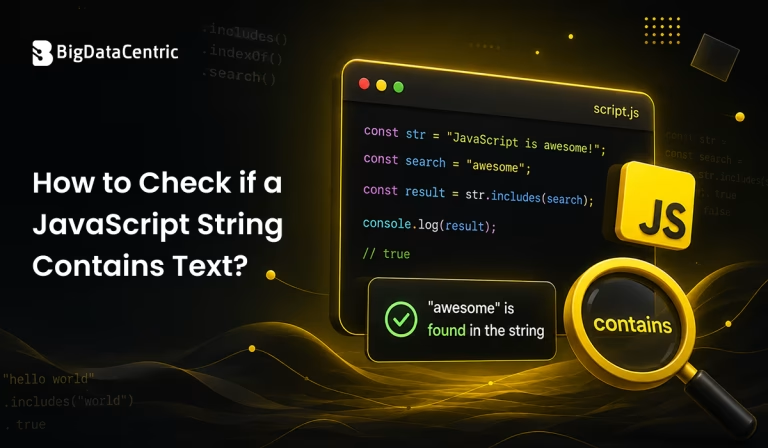
Submitting the form below will ensure a prompt response from us.
Checking whether a string contains a specific substring is a common task in JavaScript programming. Developers may need to determine whether a user input contains a particular word, whether a URL includes a specific parameter, or whether a text value contains a required character sequence.
Modern JavaScript provides several methods for checking whether one string exists inside another. The most commonly recommended approach is the includes() method, while indexOf(), search(), match(), and regular expressions can be useful for different scenarios.
For example, if you want to check whether a message contains the word “JavaScript”, you can use:
const message = "I am learning JavaScript.";

const result = message.includes("JavaScript");

console.log(result);
Output:
true
The includes() method returns a Boolean value: true when the substring is found and false when it is not.
What Does JavaScript String Contains Mean?
JavaScript does not have a method literally named contains() for strings. When developers search for JavaScript string contains, they are generally referring to checking whether one string contains another string.
For example:
const text = "Cloud computing is transforming businesses.";

console.log(text.includes("computing"));
Output:
true
Here, “computing” is a substring of the larger string.
The important methods for this task include:
- includes()
- indexOf()
- search()
- match()
- Regular expressions
How to Check if a JavaScript String Contains Text?
Using includes() to Check if a String Contains Text
The includes() method is the simplest and most readable way to determine whether a string contains another string.
Syntax
string.includes(searchString);

Example:

const technology = "Artificial Intelligence";

if (technology.includes("Intelligence")) {

console.log("The string contains the word.");

}
Output:
The string contains the word.
The method returns true if the substring exists and false otherwise.
const language = "JavaScript";

console.log(language.includes("Script"));

console.log(language.includes("Python"));
Output:
true

false
Is includes() Case-Sensitive?
Yes. JavaScript’s includes() method is case-sensitive.
For example:
const text = "JavaScript is popular.";

console.log(text.includes("JavaScript"));

console.log(text.includes("javascript"));
Output:
true

false
The capitalization differs between “JavaScript” and “javascript”.
How to Perform a Case-Insensitive Check
Convert both strings to lowercase before using includes():
const text = "JavaScript is popular.";

const searchText = "javascript";

const result = text.toLowerCase().includes(searchText.toLowerCase());

console.log(result);
Output:
true
This approach allows the comparison to ignore differences in capitalization.
Using indexOf() to Check if a String Contains Text
Before includes() became widely available, developers commonly used indexOf().
The method returns the position of the first occurrence of the specified substring. If the substring is not found, it returns -1.
const text = "Learn JavaScript programming.";

const position = text.indexOf("JavaScript");

console.log(position);
Output:
6
You can use this behavior to check whether a string contains a substring:
const text = "Learn JavaScript programming.";

if (text.indexOf("JavaScript") !== -1) {

console.log("Text found.");

}
Output:
Text found.
Although indexOf() is still useful, includes() is usually easier to read when you only need a Boolean result.
Using search() to Find Text
The search() method searches a string using a regular expression and returns the position of the first match.
const text = "JavaScript makes web development interactive.";

const position = text.search(/JavaScript/);

console.log(position);
Output:
0
If no match is found, search() returns -1.
const text = "JavaScript makes web development interactive.";

if (text.search(/development/) !== -1) {

console.log("Match found.");

}
Output:
Match found.
search() becomes especially useful when the search requires a regular expression rather than a simple substring.
Using match() to Check if a String Contains Text
The match() method can search a string using a regular expression.
const text = "Learning JavaScript is useful.";

const result = text.match(/JavaScript/);

console.log(result);
If a match exists, JavaScript returns a match object. If no match exists, it returns null.
You can use it in a conditional statement:
const text = "Learning JavaScript is useful.";

if (text.match(/JavaScript/)) {

console.log("JavaScript was found.");

}
Output:
JavaScript was found.
For simple substring checks, however, includes() is generally more straightforward.
Using Regular Expressions
Regular expressions are useful when you need more advanced matching rules.
For example, you can use the test() method to check whether a pattern exists:
const text = "The application uses JavaScript.";

const pattern = /JavaScript/;

console.log(pattern.test(text));
Output:
true
Case-Insensitive Regular Expression
The i flag makes the search case-insensitive.
const text = "The application uses JavaScript.";

const pattern = /javascript/i;

console.log(pattern.test(text));
Output:
true
Regular expressions are particularly useful when the search criteria are more complex than a fixed substring.
JavaScript String Contains: Which Method Should You Use?
The appropriate method depends on your requirements.
| Method | Best Use Case | Returns |
|---|---|---|
| includes() | Simple substring check | true or false |
| indexOf() | Check existence or find position | Index number or -1 |
| search() | Search using regular expressions | Index number or -1 |
| match() | Retrieve regex matches | Match array or null |
| RegExp.test() | Boolean regex matching | true or false |
For most simple use cases, includes() is the preferred option.
How to Check if a String Contains Multiple Values?
Sometimes you may need to determine whether a string contains one of several possible values.
For example:
const message = "Your order has been shipped.";

const keywords = ["shipped", "delivered", "cancelled"];

const found = keywords.some(keyword => message.includes(keyword));

console.log(found);
Output:
true
The some() method checks whether at least one item in the array satisfies the condition.
How to Check if a String Contains All Values?
If the requirement is to verify that a string contains all specified values, use every():
const message = "Your order has been shipped successfully.";

const keywords = ["order", "shipped"];

const found = keywords.every(keyword => message.includes(keyword));

console.log(found);
Output:
true
This approach is useful for validating whether multiple required terms exist in a string.
Checking User Input
String containment checks are frequently used when validating user input.
const username = "developer123";

if (username.includes("developer")) {

console.log("Username contains the required text.");

} else {

console.log("Required text was not found.");

}
Output:
Username contains the required text.
For security-sensitive validation, however, string containment alone should not be considered sufficient. Input should also be validated according to the application’s specific requirements.
Common Mistakes to Avoid
Mistake 1: Using a Nonexistent String contains() Method
The following does not work:
const text = "JavaScript";

text.contains("Script");

JavaScript strings use includes() for this purpose:

const text = "JavaScript";

console.log(text.includes("Script"));
Mistake 2: Forgetting Case Sensitivity
This returns false:
const text = "JavaScript";

console.log(text.includes("javascript"));

For case-insensitive comparison:

const text = "JavaScript";

const search = "javascript";

console.log(

text.toLowerCase().includes(search.toLowerCase())

);
Output:
true
Mistake 3: Confusing indexOf() With a Boolean Result
indexOf() returns a number rather than true or false.
Use:
const text = "JavaScript";

console.log(text.indexOf("Script") !== -1);
Or, when you only need a Boolean answer, use:
console.log(text.includes(“Script”));
Build Powerful JavaScript Applications
Our JavaScript development experts build scalable, secure, and high-performance web applications tailored to your business needs.
Conclusion
JavaScript string contains generally refers to checking whether a particular substring exists within another string. JavaScript provides several approaches for performing this operation, with includes() being the simplest and most readable option for modern applications.
The indexOf() method is useful when you also need the position of the matching substring, while search() and match() are better suited to regular-expression-based searches. For more advanced pattern matching, RegExp.test() provides a convenient Boolean result.
For most everyday string containment checks, use includes():
const text = "JavaScript programming";

console.log(text.includes("JavaScript"));
Understanding these methods helps developers perform reliable text validation, filtering, searching, and processing across JavaScript applications.


Jayanti Katariya is the CEO of BigDataCentric, a leading provider of AI, machine learning, data science, and business intelligence solutions. With 18+ years of industry experience, he has been at the forefront of helping businesses unlock growth through data-driven insights. Passionate about developing creative technology solutions from a young age, he pursued an engineering degree to further this interest. Under his leadership, BigDataCentric delivers tailored AI and analytics solutions to optimize business processes. His expertise drives innovation in data science, enabling organizations to make smarter, data-backed decisions.