




SaaS Automation Tools: Best Tools, Features, and Benefits
Blog Summary:
Businesses are increasingly using SaaS automation to simplify repetitive processes, improve productivity, and connect multiple applications. This blog covers key automation tool types and the features businesses should evaluate before choosing one. It also presents 10 notable SaaS automation tools for 2026, along with their benefits and limitations. The final section outlines practical considerations for selecting a suitable platform.
SaaS has become essential to modern business operations, but managing multiple applications, workflows, customer interactions, and data across platforms can quickly become complex. Manual processes can create delays, increase error risk, and make it harder for teams to scale. As a result, businesses increasingly turn to automation to connect SaaS applications, streamline repetitive tasks, and improve operational efficiency.
The shift toward automation is reflected in current industry data. Over 75% of organizations rank workflow automation as a top priority for SaaS and AI adoption in 2026, while 81.9% of businesses implementing AI-driven automation achieve measurable ROI within six months.
In addition, more than 70% of organizations are expected to centralize SaaS management through a SaaS Management Platform by 2028, compared with under 30% previously.
In this blog, we’ll explore the different types of SaaS Automation Tools, the key features to consider when choosing one, 10 notable tools for 2026, and the benefits and challenges of SaaS automation. We’ll also cover the key factors businesses should evaluate to select an automation solution that fits their workflows, technology stack, and growth requirements.
Understand SaaS Automation Tools
SaaS automation tools are software solutions that automate repetitive tasks, workflows, and processes across cloud-based applications. They can connect different systems, transfer data, trigger actions based on specific conditions, and reduce the need for employees to handle routine tasks manually.
For example, a business can automatically move a new lead from a website form into a CRM, assign it to a sales representative, send a follow-up email, and update the relevant records without manual intervention at each step.
Modern automation platforms often combine integrations, workflow builders, conditional logic, business analytics, and AI capabilities to create more flexible processes. These capabilities can support marketing, sales, customer service, finance, project management, and internal operations, helping businesses connect their existing SaaS applications and streamline day-to-day workflows.
Types of SaaS Automation Tools
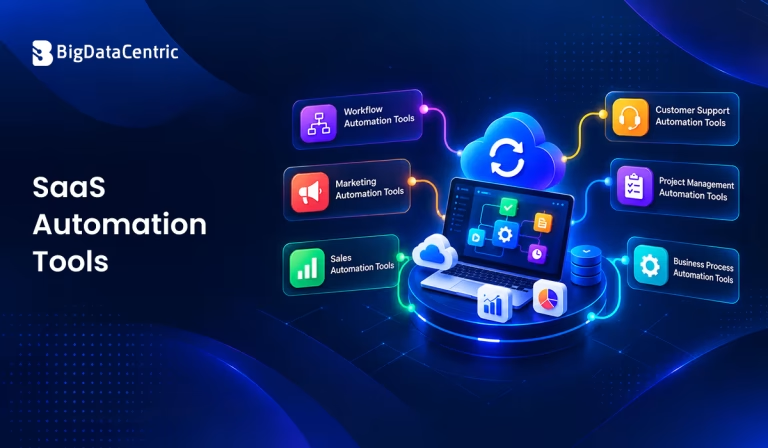
SaaS automation can support different business functions, from connecting applications and automating workflows to managing marketing, sales, customer support, and project-related tasks.
The following are some of the common types of automation tools businesses use to streamline their day-to-day operations:
Workflow Automation Tools
Workflow automation tools connect applications and automate task sequences based on predefined rules or events. They can transfer information between systems, assign tasks, send notifications, update records, and trigger subsequent actions without requiring manual intervention. These tools are particularly useful when a process involves multiple applications or teams.
Marketing Automation Tools
Marketing automation tools help teams manage repetitive activities such as email campaigns, lead nurturing, audience segmentation, and customer engagement. They can trigger personalized messages based on user behavior, schedule campaigns, and move leads through predefined journeys.
These automated marketing tools can also help teams monitor campaign activity and improve how they manage prospects at different stages of the customer journey.
Sales Automation Tools
Sales automation tools streamline repetitive activities across the sales cycle, from lead management and qualification to follow-ups and pipeline updates. They can automatically assign leads, schedule reminders, update customer records, and notify representatives when an action is required.
Integrating these capabilities with CRM systems can give sales teams more time to focus on conversations and relationship building rather than administrative tasks.
Customer Support Automation Tools
Customer support automation tools help businesses handle common customer requests and organize support operations more efficiently. Features can include AI-powered responses, ticket routing, automated notifications, knowledge-base suggestions, and conversation workflows.
For frequently asked questions and routine requests, automation can deliver faster responses while letting support teams focus on issues that require human attention.
Project Management Automation Tools
Project management automation tools help teams organize tasks, deadlines, assignments, approvals, and project updates.
A task can be automatically assigned when a previous activity is completed, while reminders and status updates can trigger as deadlines approach or project conditions change. This reduces the amount of manual coordination required to keep projects moving.
Business Process Automation Tools
Business process automation tools automate broader operational processes that may involve multiple departments and applications. They can support activities such as employee onboarding, approval workflows, document processing, data entry, invoicing, and internal requests.
By combining workflow rules, integrations, and business logic, these platforms can create connected processes across an organization’s SaaS environment and support a more consistent saas workflow automation strategy.
Key Features to Look for in SaaS Automation Tools
When evaluating an automation platform, businesses should look beyond the number of integrations or available templates. The right solution should fit existing workflows, connect with the applications teams already use, provide flexibility as requirements change, and maintain appropriate security controls.
The following features are important when comparing automation solutions.
Workflow and Task Automation
The platform should make it easy to automate repetitive tasks and multi-step workflows without requiring extensive technical knowledge. Features such as visual workflow builders, task assignments, notifications, and automated updates can help teams reduce manual effort. It should also support workflows that involve multiple steps and applications.
Third-Party Integrations
Strong integration capabilities allow automation platforms to connect with CRM systems, communication tools, payment platforms, project management software, and other business applications.
A broad range of integrations reduces data silos and helps information move between systems without manual entry. API support is also useful when a required application lacks a built-in connection.
AI-Powered Automation
AI can make automation more adaptive by helping systems interpret information, classify requests, generate responses, summarize data, or recommend actions.
AI-powered features can be particularly useful for handling unstructured information and automating processes that previously required human judgment. Businesses should evaluate whether these capabilities solve a specific operational need rather than simply adding AI as an extra feature.
Triggers and Conditional Workflows
Triggers and conditional logic let workflows respond to specific events, rules, or data changes. For example, a workflow can send a notification when a deal reaches a particular stage or assign a task when a customer submits a support request. These capabilities make automation more flexible and allow different actions to occur based on defined business conditions.
Analytics and Reporting
Analytics and reporting help businesses understand how automated workflows are performing and where improvements may be needed. Useful capabilities include workflow activity, task completion, error tracking, processing times, and performance trends. These insights help teams identify bottlenecks and measure whether automation delivers the expected operational benefits.
Customization and Scalability
Automation requirements often change as a business grows, so the platform should provide enough customization to support evolving workflows.
Businesses should consider whether they can create custom rules, modify existing workflows, add new applications, and manage increasing automation volumes. Scalable solutions can accommodate additional teams, processes, and users without requiring a complete change in the automation setup.
Make Your SaaS Workflows More Efficient
From workflow automation to application integration, we help businesses create reliable solutions that simplify processes and support operational growth.
Top 10 Best SaaS Automation Tools in 2026
The automation landscape in 2026 covers a wide range of use cases, from connecting business applications and automating financial workflows to customer support, product adoption, and software testing.
As businesses expand their use of AI and automation, having a clear AI adoption strategy can also help align these technologies with broader operational goals. The right choice depends on the process being automated, your existing technology stack, integration requirements, and the level of technical control you need.
N8n
n8n is a workflow automation platform that combines visual workflow building with the flexibility to use code when required. It supports more than 500 integrations and can connect applications, APIs, AI models, and business systems within a single workflow. Its self-hosting option also gives organizations greater control over deployment and data.
The platform also supports AI agents, human approval steps, workflow monitoring, and execution logs, making it suitable for more complex automation scenarios. Its AI Workflow Builder can create workflows from natural-language descriptions, while users can still inspect and modify the resulting workflows.
Zapier
Zapier is a widely used automation platform that connects applications and creates trigger-and-action workflows. It supports more than 9,000 apps and offers no-code, low-code, and full-code options, allowing teams to automate processes without building every integration from scratch.
Beyond traditional workflows, Zapier now includes AI capabilities that can summarize information, classify data, draft content, make decisions, and support AI agents across connected applications. This makes it useful for processes such as lead routing, employee onboarding, IT workflows, and other cross-application tasks.
QuickBooks
QuickBooks is primarily an accounting and financial management platform, but its automation capabilities can also streamline routine business processes. QuickBooks Online includes AI-powered features for tasks such as invoice reminders, bookkeeping, payments, and client communications.
Its Custom Automations feature also allows eligible QuickBooks Online users to describe a business task in plain English and have Intuit Intelligence create an automation. Businesses can review and approve outward-facing actions, adding an extra layer of control over automated financial workflows.
Intercom Fin AI
Intercom Fin AI is an AI-powered customer service agent designed to automate customer conversations across channels. It can use connected support content, policies, and external knowledge sources to answer customer questions, handle complex requests, and escalate conversations when human assistance is needed.
You can also incorporate Fin into Intercom Workflows to control when and how the AI agent engages with customers. Its capabilities include multilingual support, data connectors, customizable guidance, and procedures for handling more complex tasks, making it suitable for customer support and sales-related automation.
Zendesk
Zendesk provides automation capabilities for customer service teams through AI agents, workflows, ticketing, and agent-assistance features. Its current AI agent experience supports more complex requests and can operate across channels such as messaging, email, and voice, reducing the routine work support teams handle manually.
The platform has also expanded its agentic AI capabilities, allowing AI agents to make decisions, plan actions, and work through multi-step service requests. Businesses can combine these capabilities with existing support workflows and connected systems to automate customer interactions while retaining control over how agents operate.
Salesforce
Salesforce offers automation through Salesforce Flow, which provides tools such as Flow Builder and Flow Orchestration for creating business processes and multi-step workflows. These capabilities can automate tasks, respond to data changes, manage approvals, and connect processes across systems without coding every workflow manually.
Salesforce Flow can also work with external systems through connectors and MuleSoft, while developers can extend workflows with custom Apex actions and other components. This makes the platform suitable for organizations that need automation across CRM processes, approvals, multiple users, and connected business applications.
Userpilot
Userpilot is a product experience platform that combines product analytics, in-app experiences, user feedback, and workflows. Teams can use it to create contextual experiences based on user behavior, support feature adoption, and automate interactions across the product journey without relying on engineering for every change.
Its newer capabilities also include AI-powered workflows and Lia, an AI agent designed to work with product data and experiences. Userpilot can therefore support automation around activation, feature adoption, customer feedback, and product engagement while giving teams analytics to understand how users interact with their products.
ACCELQ
ACCELQ is a codeless test automation platform focused on autonomous quality engineering across web, mobile, API, desktop, and packaged applications. Its AI capabilities support activities across the testing lifecycle, including test discovery, automation creation, test data generation, maintenance, and result analysis.
The platform also offers self-healing automation and conversational test creation. ACCELQ Converse allows teams to describe testing requirements in natural language and generate automation, test data, test plans, and API test scenarios, helping connect software testing with broader development workflows.
QA Wolf
QA Wolf is focused on end-to-end software testing and automated quality assurance. Its platform uses Playwright-based test automation and helps teams create and maintain automated tests as applications change, reducing the manual effort of regression testing.
In 2026, QA Wolf introduced Automation AI, which can create deterministic Playwright tests from natural-language prompts or from features deployed to preview environments. It can also run multiple tests concurrently, helping teams expand test coverage as development cycles speed up.
Reflect
Reflect is an AI-powered test automation platform for web and mobile applications that allows teams to create automated tests using plain-language instructions. Its AI capabilities can translate test steps into automated actions and adapt to changes in application interfaces, reducing dependence on manually maintained selectors.
The platform supports web, mobile, API, visual, email, and SMS testing, along with integrations for CI/CD, issue tracking, and test management. Its AI-assisted maintenance and self-healing capabilities can help teams keep automated tests aligned with evolving applications while providing detailed results when failures occur.
Have an Automation Idea?
Share your business requirements with our team and get a customized approach for building automation workflows that fit your existing SaaS ecosystem.
Benefits of Using SaaS Automation Tools
Automation can improve how teams manage repetitive processes, coordinate work across applications, and handle growing operational demands. When implemented around well-defined processes, it can reduce manual effort while helping teams maintain greater consistency across day-to-day operations. The key benefits include:
Reduce Repetitive Manual Tasks
Automation can handle routine activities such as data entry, notifications, record updates, task assignments, and follow-up actions. This reduces the time employees spend on repetitive work and lets them focus on tasks that require judgment, creativity, or direct customer interaction.
Improve Operational Efficiency
Automated workflows can move information between systems and trigger the next step in a process without waiting for manual intervention. This can reduce process delays, improve response times, and create more consistent execution across departments and business functions.
Reduce Human Errors
Manual data entry and repetitive processes can introduce mistakes, particularly when employees work across multiple applications. Automation can apply predefined rules consistently, transfer information between connected systems, and reduce errors caused by repetitive manual actions.
Improve Team Productivity
By taking routine administrative work off employees’ plates, automation gives teams more time to focus on higher-value activities. Sales teams can spend more time with prospects, support teams can handle complex customer issues, and operations teams can focus on process improvements.
Streamline Business Workflows
Automation can connect individual tasks into complete workflows instead of treating each activity as a separate process. With connected applications, triggers, and predefined actions, businesses can create smoother processes that reduce unnecessary handoffs and improve coordination between teams.
Scale Business Operations
As a business grows, manually managing more customers, transactions, tasks, and applications can become difficult. Automation lets organizations handle higher workloads without increasing manual effort at the same rate, while scalable workflows and integrations support new processes and teams as requirements evolve.
Challenges of SaaS Automation
Although automation can simplify many business processes, effective implementation requires careful planning. Poorly configured workflows, disconnected applications, excessive automation, or inadequate security controls can create new operational problems instead of solving existing ones.
Understanding these challenges helps businesses build automation processes that remain reliable as they grow.
Integration and Compatibility Issues
Connecting different SaaS applications can be challenging when platforms use different data formats, APIs, authentication methods, or integration capabilities.
An automation may also stop working when an application changes its API or updates a feature. Businesses should verify integration compatibility and API support before building workflows that depend on multiple systems.
Data Security and Privacy Concerns
Automated workflows may transfer customer, financial, employee, or operational data between several applications. Each additional integration can create another point that needs appropriate access controls and security measures.
Businesses should evaluate encryption, permissions, authentication, audit logs, and data-handling practices before allowing automation platforms to process sensitive information.
Workflow Complexity
As automation expands, workflows can become difficult to understand, maintain, and troubleshoot. A process with numerous triggers, conditions, integrations, and dependencies may be harder to manage than the original manual process.
Keeping workflows structured, documenting important processes, and regularly reviewing dependencies can help prevent unnecessary complexity.
Over-Automation
Not every business process should be automated. Automating tasks that require human judgment, empathy, approval, or contextual decision-making can lead to inappropriate actions and poor customer or employee experiences.
Businesses should identify where human involvement adds value and use automation to support those activities rather than attempting to remove people from every process.
How to Choose a SaaS Automation Tool?
Choosing an automation tool starts with identifying the specific processes you want to improve, not selecting a platform based only on its feature list. Map the existing workflow, identify repetitive tasks and bottlenecks, and determine which applications need to work together. This helps narrow the options based on actual business requirements.
Consider the tool’s integrations, ease of use, customization options, AI capabilities, security controls, reporting, and scalability. Also evaluate pricing against the expected workload, number of users, automation volume, and available features.
Businesses can also consider SaaS cost optimization when evaluating automation platforms to ensure the technology investment remains aligned with operational requirements.
It is also useful to test a platform with a small, clearly defined workflow before expanding automation across the organization. Evaluate how reliably it executes tasks, handles errors, manages data, and adapts when processes change.
A practical evaluation can help determine whether the tool can support current requirements while remaining suitable as the business and its automation needs grow.
Ready to Automate Your Operations?
Build tailored automation workflows that reduce repetitive work, improve team productivity, and support your business as it scales.
Conclusion
SaaS automation can help businesses reduce repetitive work, connect applications, streamline workflows, and improve operational efficiency across departments. From marketing and sales to customer support, finance, project management, and software testing, automation can support a wide range of processes when the right use cases are identified.
However, successful automation depends on more than selecting a platform with numerous features. Businesses need to consider integrations, scalability, security, customization, workflow complexity, and the right balance between automation and human involvement.
BigDataCentric helps businesses build SaaS AI development solutions aligned with their workflows, technology stack, and operational requirements, enabling them to create more connected and scalable digital processes.
FAQs
Is ChatGPT considered SaaS?
Yes. ChatGPT can be considered a SaaS product because it is delivered over the internet and users access its AI capabilities through a web interface or API without managing the underlying infrastructure.
Which CRM is best for marketing automation?
No single CRM is best for every business. Platforms such as Salesforce, HubSpot, and Microsoft Dynamics 365 offer marketing automation capabilities, with the right choice depending on features, integrations, budget, and business requirements.
Is Netflix a SaaS or PaaS?
Netflix is generally considered a SaaS-like consumer service, because users access its software and content through the internet without managing the underlying infrastructure. It is not typically classified as PaaS.
How secure are automated SaaS workflows?
Security depends on the platform, integrations, configuration, and data being processed. Strong authentication, encryption, role-based access, secure APIs, and regular permission reviews can help protect automated workflows.
Which automation tool is trending now?
Tools such as Zapier, n8n, and Make are widely used for workflow automation, while AI-focused automation is also gaining attention. The most suitable tool depends on the workflows, integrations, and technical requirements involved.


Jayanti Katariya is the CEO of BigDataCentric, a leading provider of AI, machine learning, data science, and business intelligence solutions. With 18+ years of industry experience, he has been at the forefront of helping businesses unlock growth through data-driven insights. Passionate about developing creative technology solutions from a young age, he pursued an engineering degree to further this interest. Under his leadership, BigDataCentric delivers tailored AI and analytics solutions to optimize business processes. His expertise drives innovation in data science, enabling organizations to make smarter, data-backed decisions.


