
Deployment Strategies: Types, Benefits, Challenges, and Best Practices

Last Updated: October 22, 2026
 Total View: 59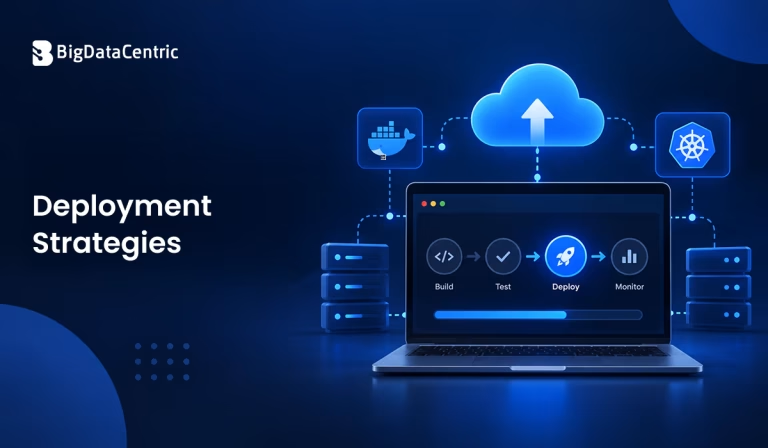
Submitting the form below will ensure a prompt response from us.
Software deployment is essential to delivering reliable applications. A well-planned deployment strategy helps teams release new features, updates, and bug fixes while managing downtime, performance, and operational risks. The right approach also makes it easier to monitor releases and recover when things go wrong.
In this Q&A guide, we explain Deployment Strategies, explore their types, discuss their benefits and challenges, and share best practices for selecting and implementing the right strategy.
What is a Deployment Strategy?
A deployment strategy is a defined approach to releasing a new version of a software application into development, testing, staging, or production. It determines how the updated version is introduced, how traffic is directed, and how the existing version is managed during the release.
Deployment strategies vary depending on application architecture, infrastructure, business requirements, and acceptable downtime. For example, a rolling deployment gradually updates application instances, while a blue-green deployment uses two environments to support a controlled traffic switch.
A suitable deployment strategy helps development and operations teams manage software releases consistently and reduce the risk of disrupting users.
Why are Deployment Strategies Important?
Deployment strategies help organizations manage application changes in a structured and predictable way. Instead of releasing updates without a defined plan, teams can choose a method that matches their operational needs.
Key reasons deployment strategies matter include:
- Application availability: Keep services accessible during updates when the chosen strategy and infrastructure support it.
- Release risk management: Introduce changes in controlled stages and identify issues before a release reaches all users.
- Faster recovery: Establish procedures to roll back or correct an unsuccessful deployment.
- Performance monitoring: Evaluate application behavior and system health during and after a release.
- Consistent releases: Standardize deployment procedures across development, testing, and production environments.
A strategy’s effectiveness depends on how well it is implemented, tested, and monitored.
How Does a Software Deployment Strategy Work?
Although the details vary by deployment method, a typical software deployment process follows several stages.
Build the Application
Developers prepare the application code and package the required components into a deployable artifact, such as a container image or application package.
Test the Release
Automated and manual tests help verify application functionality, security, compatibility, and performance before the release reaches production.
Deploy the New Version
The team applies the selected deployment strategy to introduce the new version. This might involve gradually updating instances, switching traffic between environments, or directing a small percentage of users to the new release.
Monitor Application Health
Teams monitor error rates, response times, resource usage, logs, and relevant business metrics to confirm the release behaves as expected.
Complete or Recover From the Release
If the deployment meets the predefined success criteria, the team completes the rollout. If problems occur, the team may pause the release, redirect traffic, roll back, or deploy a fix according to the recovery plan.
What are the Different Types of Deployment Strategies?
Different deployment strategies determine how a new software version is introduced and how traffic or application instances are managed during the release.
The most common types include:
Recreate Deployment
A recreated deployment stops the existing application version before starting the new version. The old and new versions do not intentionally run side by side during deployment.
Example: A small internal application is stopped during a scheduled maintenance window, updated to a new version, and restarted after deployment is complete.
Rolling Deployment
A rolling deployment gradually replaces existing application instances with updated instances. The deployment proceeds in stages, allowing the remaining instances to continue serving requests while other instances are updated.
Example: A web application running on four servers updates one or two instances at a time until every instance runs the new version.
Blue-Green Deployment
Blue-green deployment maintains two separate environments: one hosting the current application version and another hosting the new version. After the new environment has been tested, production traffic is switched to it. The previous environment can be retained for recovery, provided database changes and application state remain compatible.
Example: An e-commerce company deploys an updated checkout service in the green environment, validates it, and then redirects production traffic from the blue environment.
Canary Deployment
A canary deployment releases a new version to a small group of users or a limited portion of production traffic. The team monitors performance and error metrics before gradually expanding the rollout.
Example: A SaaS company directs 5% of production traffic to a new application version. If the initial results meet the release criteria, the team increases the percentage in stages.
A/B Deployment
An A/B deployment approach exposes different application versions or experiences to separate user groups so the team can compare their results against specific metrics. It is commonly used to evaluate changes in user experience or business performance.
Example: An online retailer compares two product-page layouts to measure which one produces a higher purchase conversion rate.
Shadow Deployment
A shadow deployment sends copies of real production requests to a new application version while the existing version continues to handle actual user requests. The new version’s responses are evaluated but are not returned to users.
Example: A financial services company sends copied transaction requests to a redesigned processing service to compare its results with the existing service before switching production traffic.
Teams must ensure that shadow requests cannot trigger unintended side effects, such as duplicate payments, database writes, or customer notifications.
How Do Deployment Strategies Work in Kubernetes?
Kubernetes supports rolling updates for Deployment resources by default. Teams can configure how many additional Pods may be created and how many existing Pods may be unavailable during an update.
For example, the following configuration illustrates a rolling update:
apiVersion: apps/v1

kind: Deployment

metadata:

name: web-app

spec:

replicas: 4

strategy:

type: RollingUpdate

rollingUpdate:

maxSurge: 1

maxUnavailable: 0

selector:

matchLabels:

app: web-app

template:

metadata:

labels:

app: web-app

spec:

containers:

- name: web-app

image: my-app:v2

ports:

- containerPort: 8080
Here, maxSurge: 1 allows Kubernetes to create one additional Pod above the desired replica count during the update. maxUnavailable: 0 prevents the controller from intentionally reducing available replicas below the desired count during the rollout.
This configuration alone does not guarantee zero downtime. Readiness probes, available infrastructure, application startup, and external dependencies also affect availability.
What are the Benefits of Deployment Strategies?
A defined deployment strategy can improve release management and help teams deliver software more predictably.
Reduced Release Risk
Strategies such as canary and rolling deployments let teams introduce changes gradually. Monitoring each stage can help identify problems before the release reaches the entire user base.
Improved Application Availability
Rolling and blue-green deployments can help limit service interruptions when the application architecture, infrastructure capacity, health checks, and dependencies are configured appropriately.
Easier Recovery Planning
Some deployment approaches make it easier to return traffic to a previous version or restore a known working release. Recovery still depends on database compatibility, data changes, and other application state.
Better Release Visibility
Defined deployment stages give teams clear points at which to evaluate application health. Monitoring and automated checks help identify errors and performance regressions.
More Consistent Software Delivery
When teams document and automate deployment steps, they can reduce manual errors and use repeatable release processes across environments.
What Challenges Can Occur During Deployment?
Even a well-planned deployment strategy can encounter technical or operational challenges.
Application Downtime
Some deployment methods, particularly recreate deployments, require the existing version to stop before the new version starts. This can create a service interruption.
Version Compatibility
During rolling deployments, different application versions may run simultaneously. They must remain compatible with shared APIs, data formats, databases, and dependent services.
Infrastructure Costs
Maintaining parallel environments for blue-green deployment can require additional compute, storage, networking, and operational resources.
Monitoring Complexity
Canary, A/B, and shadow deployments require appropriate traffic routing, monitoring, and analysis. Without reliable metrics, teams may struggle to determine whether the new version is performing correctly.
Data and Rollback Risks
A previous application version may not work with database schema changes or newly written data. Rolling back application code alone may not restore the system to its earlier state.
Teams can address these challenges through compatibility testing, capacity planning, automated health checks, and a documented recovery process.
How Do You Choose the Right Deployment Strategy?
The right deployment strategy depends on application requirements and the level of release risk the organization can accept. Consider these factors when deciding.
Application Availability Requirements
Determine whether temporary downtime is acceptable. Applications that must remain available generally need a strategy and architecture that support traffic continuity during updates.
Application Architecture
Consider whether the application runs as a monolith, a set of microservices, or a distributed system. Service dependencies, shared databases, and session management can influence which strategy is practical.
Infrastructure and Budget
Evaluate whether the organization can support multiple environments, additional instances, traffic-routing mechanisms, and the monitoring infrastructure required for the chosen approach.
Release Complexity and Risk
For releases with significant uncertainty, a canary or staged rollout can help teams assess the impact before expanding deployment. For suitable applications, blue-green deployment may provide a straightforward traffic-switching mechanism.
Testing and Recovery Requirements
Identify the checks required before, during, and after deployment. Define who can stop a rollout, which metrics trigger intervention, and how the application will recover if the release fails.
What are the Best Practices for Software Deployment?
Following established deployment practices improves release consistency and reduces avoidable issues.
- Automate deployment workflows: Use CI/CD pipelines to standardize builds, tests, approvals, and release steps.
- Run tests before production: Include unit, integration, security, and appropriate performance tests in the release process.
- Use health checks: Verify application readiness and availability before directing traffic to updated instances.
- Monitor meaningful metrics: Track errors, latency, resource utilization, and business outcomes relevant to the release.
- Define rollback procedures: Document how to pause, reverse, or repair a deployment, including database and data-recovery considerations.
- Maintain version compatibility: Plan API and database changes so that old and new application versions can coexist when the deployment requires it.
- Set release success criteria: Establish measurable thresholds for proceeding, stopping, or rolling back a release.
- Test the deployment process: Validate deployment and recovery procedures in a representative environment before relying on them in production.
These practices help teams make deployment decisions based on measurable evidence instead of assumptions.
How Can BigDataCentric Help With Deployment and Integration?
BigDataCentric helps businesses build and implement technology solutions aligned with their application and operational requirements. A structured deployment approach supports software updates, application integrations, and data-driven systems while accounting for reliability, scalability, and maintainability.
From planning release workflows to integrating applications and supporting deployment automation, the appropriate implementation depends on the existing architecture, infrastructure, and business objectives.
Organizations should assess their release requirements, monitoring capabilities, and recovery needs before choosing a deployment approach.
Planning to Automate Your Software Deployments?
Optimize your software delivery workflow with deployment automation and application integration solutions designed to support consistent releases and efficient operations.
Conclusion
Deployment strategies provide structured ways to introduce software updates while managing traffic, availability, and release risk. Common approaches include recreate, rolling, blue-green, canary, A/B, and shadow deployment.
Each approach serves a different purpose. Selecting the right one requires evaluating availability requirements, application architecture, infrastructure costs, compatibility, monitoring, and recovery procedures. With automated testing, clear success criteria, and reliable monitoring, teams can make software releases more predictable and easier to manage.


Jayanti Katariya is the CEO of BigDataCentric, a leading provider of AI, machine learning, data science, and business intelligence solutions. With 18+ years of industry experience, he has been at the forefront of helping businesses unlock growth through data-driven insights. Passionate about developing creative technology solutions from a young age, he pursued an engineering degree to further this interest. Under his leadership, BigDataCentric delivers tailored AI and analytics solutions to optimize business processes. His expertise drives innovation in data science, enabling organizations to make smarter, data-backed decisions.
Latest From Our Q&A
Stay updated with technical insights, industry trends, and the latest technology developments.