

How to Avoid java.util.ConcurrentModificationException in Java?

Last Updated: October 28, 2026
 Total View: 59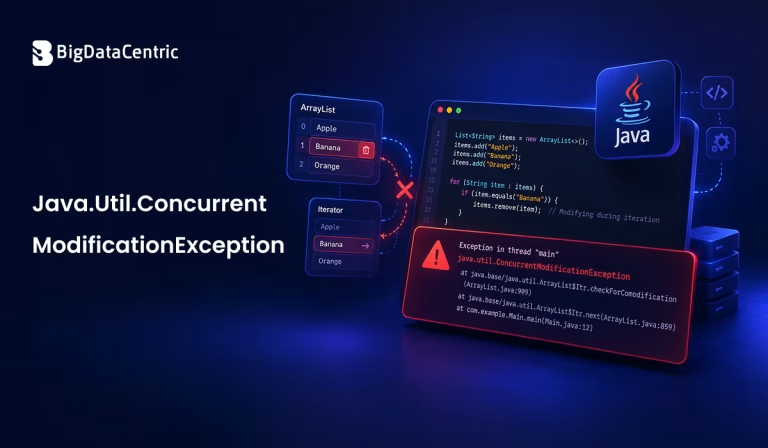
Submitting the form below will ensure a prompt response from us.
The java.util.ConcurrentModificationException error occurs when a Java collection is modified in an unexpected way while it is being iterated over. It commonly happens when developers add or remove elements from a collection while using an enhanced for loop or an iterator that does not support the modification.
This exception can interrupt program execution and make collection processing difficult to debug. Understanding why it occurs and choosing the right approach to modify collections can help prevent it. In this guide, we explain the common causes, practical solutions, and best practices for avoiding this exception in Java.
What Causes Java.Util.ConcurrentModificationException in Java?
A ConcurrentModificationException usually occurs when a collection detects that its structure has changed unexpectedly during iteration. For example, removing an element directly from an ArrayList inside an enhanced for loop can trigger the exception.
Consider the following example:
import java.util.ArrayList;
import java.util.List;

public class Main {
    public static void main(String[] args) {
        List languages = new ArrayList<>();

        languages.add("Java");
        languages.add("Python");
        languages.add("JavaScript");

        for (String language : languages) {
            if (language.equals("Python")) {
                languages.remove(language);
            }
        }
    }
}
This code may throw a ConcurrentModificationException because the list is structurally modified while the enhanced for loop is iterating over it.
Despite its name, the exception does not necessarily mean that multiple threads are involved. It can also occur in a single-threaded program.
How to Avoid ConcurrentModificationException Using an Iterator?
One common solution is to use an explicit Iterator and remove elements through its remove() method. This method allows a supported removal operation during iteration.
import java.util.ArrayList;
import java.util.Iterator;
import java.util.List;

public class Main {
    public static void main(String[] args) {
        List languages = new ArrayList<>();

        languages.add("Java");
        languages.add("Python");
        languages.add("JavaScript");

        Iterator iterator = languages.iterator();

        while (iterator.hasNext()) {
            String language = iterator.next();

            if (language.equals("Python")) {
                iterator.remove();
            }
        }

        System.out.println(languages);
    }
}
Output:
[Java, JavaScript]
The iterator manages the removal operation and updates its internal iteration state accordingly. This approach is useful when you need to examine each element and conditionally remove it from a collection.
How to Remove Elements Using removeIf()?
For collections that support it, the removeIf() method provides a concise way to remove elements that match a condition. It is available in Java 8 and later.
import java.util.ArrayList;
import java.util.List;

public class Main {
    public static void main(String[] args) {
        List numbers = new ArrayList<>();

        numbers.add(10);
        numbers.add(15);
        numbers.add(20);
        numbers.add(25);

        numbers.removeIf(number -> number % 2 != 0);

        System.out.println(numbers);
    }
}
Output:
[10, 20]
In this example, removeIf() removes all odd numbers from the list. Because the removal is handled by the collection method, you avoid directly modifying the list inside an enhanced for loop.
This is often the simplest option when you want to remove elements based on a condition.
How to Use a ListIterator to Modify a Collection?
A ListIterator is useful when you need to traverse a list and add, replace, or remove elements during iteration. Unlike a regular Iterator, it supports additional list-specific operations.
import java.util.ArrayList;

import java.util.List;

import java.util.ListIterator;

public class Main {

public static void main(String[] args) {

List languages = new ArrayList<>();

languages.add("Java");

languages.add("Python");

languages.add("JavaScript");


ListIterator iterator = languages.listIterator();

while (iterator.hasNext()) {

String language = iterator.next();

if (language.equals("Python")) {

iterator.set("Kotlin");

}

}

System.out.println(languages);

}

}
Output:
[Java, Kotlin, JavaScript]
The set() method replaces the last element returned by the iterator without structurally modifying the list. You can also use add() and remove() when the operation is supported by the list iterator.
How to Avoid the Exception When Using Multiple Threads?
If multiple threads access and modify the same collection, synchronization or a suitable concurrent collection may be necessary.
For example, CopyOnWriteArrayList creates a new underlying array when its contents are modified. Its iterators work with a snapshot of the list, so changes made after iterator creation do not appear in that iteration.
import java.util.List;

import java.util.concurrent.CopyOnWriteArrayList;

public class Main {

public static void main(String[] args) {

List languages =

new CopyOnWriteArrayList<>();

languages.add("Java");

languages.add("Python");

languages.add("JavaScript");

for (String language : languages) {

if (language.equals("Python")) {

languages.remove(language);

}

}

System.out.println(languages);

}

}
Output:
[Java, JavaScript]
This approach can be useful when reads are frequent and modifications are relatively uncommon. However, CopyOnWriteArrayList has additional memory and copying costs when modifying the collection.
For other use cases, consider appropriate concurrent collections, such as ConcurrentHashMap, or use synchronization when multiple threads must coordinate access to shared data. The right choice depends on the collection type and your application’s concurrency needs.
What Are the Best Practices for Preventing ConcurrentModificationException?
Following a few practical guidelines can help you avoid unexpected collection modifications.
Use the Correct Removal Method
When removing elements during iteration, use Iterator.remove() or a collection method such as removeIf() instead of calling list.remove() inside an enhanced for loop.
Avoid Modifying Collections Unexpectedly
Keep track of which parts of your code modify a collection. A method called during iteration might change the same collection and trigger the exception.
Choose the Appropriate Collection
Use a standard collection when external structural changes are controlled. For genuinely concurrent access, consider a concurrent collection that matches your application’s requirements.
Understand Iterator Behavior
Many Java collection iterators are fail-fast. They may throw ConcurrentModificationException when they detect structural changes outside the iterator’s supported modification methods. This behavior is best-effort and should not be treated as a synchronization guarantee.
Test Collection Modification Logic
Test scenarios involving empty collections, multiple matching elements, and changes made by other parts of the program. This can help identify iteration problems before they affect production code.
How Can BigDataCentric Help With Java Development?
Reliable Java applications depend on well-designed code, appropriate data structures, and effective testing practices. BigDataCentric helps businesses with software development, application integration, and data-driven technology solutions tailored to their requirements.
Whether you are troubleshooting Java exceptions, improving application reliability, or developing scalable software, choosing the right implementation patterns can make applications easier to maintain and operate.
Want to Improve Your Java Application Performance?
Build efficient applications with the right development strategies and technical expertise.
Conclusion
The java.util.ConcurrentModificationException exception commonly occurs when a Java collection is modified unexpectedly during iteration. You can avoid many such situations by using Iterator.remove(), removeIf(), or ListIterator for supported operations.
When multiple threads share a collection, select an appropriate concurrent collection or coordinate access using synchronization. Understanding how iterators behave and how collection modifications are handled helps you write more reliable Java code.


Jayanti Katariya is the CEO of BigDataCentric, a leading provider of AI, machine learning, data science, and business intelligence solutions. With 18+ years of industry experience, he has been at the forefront of helping businesses unlock growth through data-driven insights. Passionate about developing creative technology solutions from a young age, he pursued an engineering degree to further this interest. Under his leadership, BigDataCentric delivers tailored AI and analytics solutions to optimize business processes. His expertise drives innovation in data science, enabling organizations to make smarter, data-backed decisions.
Latest From Our Q&A
Stay updated with technical insights, industry trends, and the latest technology developments.