

SQL Server UPDATE Command With Practical Examples

Last Updated: October 28, 2026
 Total View: 57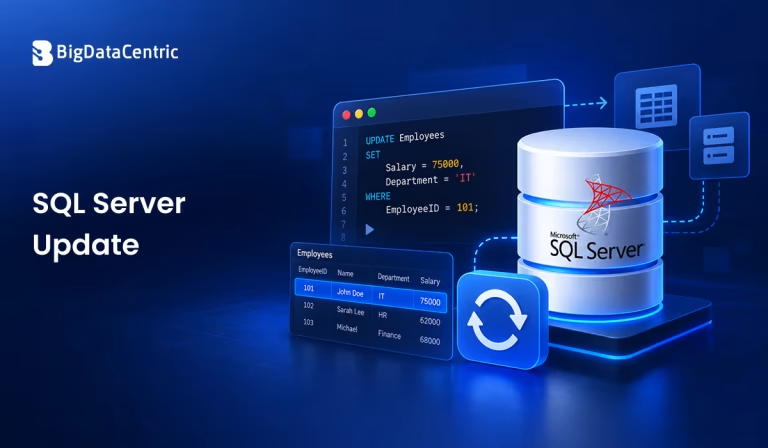
Submitting the form below will ensure a prompt response from us.
The SQL Server UPDATE command is used to modify existing records in a database table. It allows you to change a single column, update multiple columns, or modify several rows based on specific conditions. Using this command correctly helps maintain accurate data and prevents unintended changes to database records.
In this Q&A guide, we explore the SQL Server UPDATE command with practical examples, including conditional updates, updating data from another table, handling transactions, and avoiding common mistakes.
What is the SQL Server UPDATE Command?
The SQL Server UPDATE statement modifies data in existing rows without creating new records. You can use it to update employee details, adjust product prices, change order statuses, or correct inaccurate information.
For example, consider an Employees table containing employee IDs, names, departments, and salaries. If an employee receives a salary increase, you can use UPDATE to modify the existing salary value.
UPDATE Employees

SET Salary = 65000

WHERE EmployeeID = 101;
This statement changes the salary of the employee whose ID is 101. The WHERE clause ensures that only the matching record is updated.
What is the Syntax of the UPDATE Statement?
The basic syntax of an SQL Server UPDATE statement is:
UPDATE table_name

SET column1 = value1,

column2 = value2
WHERE condition;
The statement includes three main components:
- UPDATE specifies the table whose records you want to modify.
- SET assigns new values to one or more columns.
- WHERE identifies the rows that should be updated.
The WHERE clause is optional, but omitting it updates every row in the table. Always check the condition before updating important data.
Practical Examples of the SQL Server UPDATE Command
Updating a Single Record
To modify one specific record, use a condition that uniquely identifies the required row.
UPDATE Employees

SET Department = 'Engineering'

WHERE EmployeeID = 102;
This query changes the department of employee 102 to Engineering while leaving other employees unchanged.
Modifying Multiple Columns
You can update several columns in the same statement by separating assignments with commas.
UPDATE Employees

SET Department = 'Data Science',

Salary = 72000

WHERE EmployeeID = 103;
The query updates both the department and salary of the selected employee.
Updating Multiple Records With a Condition
An UPDATE statement can affect multiple rows when they match the specified condition.
UPDATE Employees

SET Salary = Salary * 1.10

WHERE Department = 'Engineering';
This example increases the salary of every employee in the Engineering department by 10%. Employees in other departments remain unchanged.
Updating All Records in a Table
You can update every row by leaving out the WHERE clause.
UPDATE Products

SET Status = 'Active';
This statement sets the status of every product to Active. Use this approach only when you intentionally want to modify all rows.
Updating Records Using Another Table
SQL Server supports updates that use data from another table through the FROM clause and a join. This is useful when new values are stored in a separate table.
Suppose a SalaryUpdates table contains employee IDs and revised salaries.
UPDATE e

SET e.Salary = s.NewSalary

FROM Employees AS e

INNER JOIN SalaryUpdates AS s

ON e.EmployeeID = s.EmployeeID;
The query updates employee salaries using the matching values in SalaryUpdates.
Important: Ensure that the source table has no more than one matching row for each target employee. If multiple source rows match a target row, SQL Server does not guarantee which source value will be used.
Updating Records Based on Multiple Conditions
You can combine conditions with operators such as AND and OR to control which records are changed.
UPDATE Employees

SET Status = 'Eligible'

WHERE Department = 'Engineering'

AND Salary >= 70000;
Only employees in Engineering who earn at least 70,000 receive the new status.
How Can You Verify an UPDATE Before Executing It?
Checking the target records before making changes helps reduce the risk of updating unintended data.
Preview the Target Rows
Run a SELECT statement with the same condition to inspect the affected records.
SELECT EmployeeID, Department, Salary

FROM Employees

WHERE Department = 'Engineering'

AND Salary >= 70000;
Review the results before running the corresponding UPDATE statement.
Check the Number of Updated Rows
SQL Server’s @@ROWCOUNT returns the number of rows affected by the immediately preceding statement.
UPDATE Employees

SET Status = 'Eligible'

WHERE Department = 'Engineering'

AND Salary >= 70000;

SELECT @@ROWCOUNT AS RowsUpdated;
Capture @@ROWCOUNT immediately after the UPDATE because another statement can change its value.
How Can Transactions Make Updates Safer?
Transactions allow you to group database changes and either commit them or roll them back before they are committed.
For example:
BEGIN TRANSACTION;

UPDATE Products

SET Price = Price * 1.05

WHERE Category = 'Electronics';
— Review the affected data before committing.
SELECT ProductID, Price

FROM Products

WHERE Category = 'Electronics';
— Use COMMIT when the results are correct.
— Use ROLLBACK instead if the changes should be discarded.
After reviewing the results, execute COMMIT TRANSACTION to make the changes permanent or ROLLBACK TRANSACTION to discard the uncommitted changes.
For production databases, use appropriate error handling and ensure that transactions are not left open. Once a transaction is committed, a simple rollback cannot undo it.
Common UPDATE Errors and How to Avoid Them
Forgetting the WHERE Clause
Without a WHERE clause, every row in the table is updated.
Solution: Preview the target rows with SELECT and confirm that the condition identifies the intended records.
Using an Incorrect Condition
A condition that is too broad or references the wrong column can modify unintended rows.
Solution: Test the condition separately and verify the number of matching records before executing the update.
Assigning Incompatible Data Types
Assigning text to a numeric column or providing a value that violates a constraint can cause an error.
Solution: Check the column’s data type, constraints, and permitted values before updating it.
Updating With Duplicate Join Matches
A joined UPDATE can produce unexpected results when multiple source rows match the same target row.
Solution: Ensure the join produces one source record per target row, using suitable keys or a clearly defined deduplication rule.
Best Practices for Using SQL Server UPDATE
Follow these practices to make database updates more reliable:
- Use a precise WHERE clause whenever only selected rows should change.
- Preview target records with SELECT before executing important updates.
- Use transactions for changes that need validation or coordinated modifications.
- Back up important data and follow your organization’s recovery procedures.
- Test queries in a development or staging environment before deploying to production.
- Check affected-row counts and verify the updated values.
- Use parameterized queries in applications to help prevent SQL injection and handle user input safely.
- Apply appropriate permissions so only authorized users can modify data.
How Can BigDataCentric Help With Database Management?
Effective database management requires accurate data updates, reliable integrations, and well-tested data workflows. BigDataCentric helps businesses with data engineering, database-related solutions, analytics, and AI-driven initiatives designed around their operational needs.
Whether you are improving data workflows or integrating information across systems, a well-planned database strategy can support data consistency, reporting accuracy, and better business decisions.
Need to Simplify Your Database Operations?
BigDataCentric helps businesses streamline data workflows and manage database operations with solutions tailored to their needs.
Conclusion
The SQL Server UPDATE command is essential for modifying existing database records. It supports single-row changes, multiple-column updates, conditional modifications, and updates based on related tables.
By using precise conditions, checking affected rows, validating results, and applying transactions where appropriate, you can reduce the risk of accidental data changes and maintain more reliable database operations. Following these practices alongside database optimization techniques can help maintain reliable database operations.


Jayanti Katariya is the CEO of BigDataCentric, a leading provider of AI, machine learning, data science, and business intelligence solutions. With 18+ years of industry experience, he has been at the forefront of helping businesses unlock growth through data-driven insights. Passionate about developing creative technology solutions from a young age, he pursued an engineering degree to further this interest. Under his leadership, BigDataCentric delivers tailored AI and analytics solutions to optimize business processes. His expertise drives innovation in data science, enabling organizations to make smarter, data-backed decisions.
Latest From Our Q&A
Stay updated with technical insights, industry trends, and the latest technology developments.