




Pharmacy Management Software Development: A Complete Guide
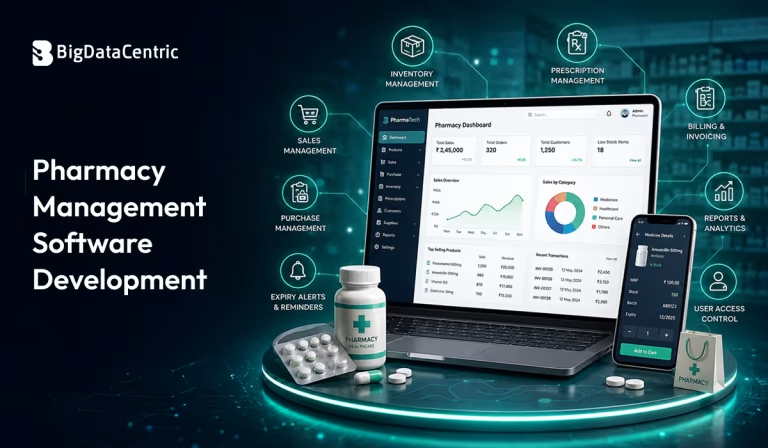
Blog Summary:
Pharmacy management software helps pharmacies streamline daily operations, improve prescription accuracy, and enhance patient care. This guide covers software types, industry insights, key development considerations, the development process, and estimated costs to help you build a scalable and efficient solution.
Running a pharmacy today involves much more than dispensing medicines. From managing prescriptions and tracking inventory to ensuring regulatory compliance and delivering a seamless customer experience, pharmacies handle multiple interconnected processes every day.
Relying on manual methods or outdated systems can lead to inventory mismatches, delayed services, medication errors, and operational inefficiencies that affect both business performance and patient care.
This is where Pharmacy Management Software Development plays a crucial role. A well-designed pharmacy management solution centralizes day-to-day operations into a single platform, enabling pharmacies to automate repetitive tasks, maintain accurate records, streamline billing, monitor stock levels in real time, and improve coordination across departments.
Whether it’s an independent retail pharmacy, a hospital pharmacy, or a growing pharmacy chain, the right software helps create faster, more reliable, and more efficient workflows.
With the increasing adoption of digital healthcare solutions, pharmacies are also seeking systems that integrate with electronic health records (EHRs), payment gateways, insurance providers, and inventory management tools. These capabilities not only improve operational efficiency but also help pharmacies adapt to evolving patient expectations and industry regulations.
In this blog, we’ll explore what pharmacy management software is, the latest market trends, different types of software, key development considerations, benefits and limitations, the complete development process, and the factors that influence development costs.
Whether you’re planning to build a custom pharmacy software solution or evaluating digital transformation opportunities, this guide will help you make informed business decisions.
Understanding Pharmacy Management Software
Pharmacy management software is a digital solution that helps pharmacies automate and manage their day-to-day operations from a single platform.
It replaces manual processes by streamlining tasks such as prescription handling, inventory tracking, billing, customer management, and reporting. This enables pharmacists to work more efficiently while reducing errors and improving service quality.
Modern pharmacy software is designed to support both operational efficiency and regulatory compliance. It can integrate with systems such as Electronic Health Records (EHRs), payment gateways, insurance providers, and supplier databases, enabling pharmacies to maintain accurate records and ensure seamless information flow across processes.
Depending on business requirements, pharmacy management software can be tailored for various pharmacy models, including:
- Retail pharmacies
- Hospital and clinical pharmacies
- Pharmacy chains
- Online or ePharmacy businesses
- Specialty pharmacies
Pharmacy Software Market Statistics and Industry Insights
The growing demand for digital healthcare solutions and pharmacy automation continues to drive significant growth in the pharmacy software market. As pharmacies focus on improving operational efficiency, reducing medication errors, and delivering better patient experiences, investing in modern pharmacy management systems has become a strategic priority.
Some key industry statistics highlight this upward trend:
- The global pharmacy management system market is valued at $116.45 billion and is expected to reach $236.28 billion by 2031.
- The market is projected to grow at a 15.22% CAGR during the forecast period.
- Cloud-based pharmacy software holds 62.85% of the market share, driven by lower infrastructure costs and greater scalability.
- Mid-sized pharmacies implementing automated workflows report annual operational savings ranging from $280,000 to $620,000.
These figures indicate that pharmacy software is no longer just an operational tool—it’s becoming a key investment for pharmacies looking to improve efficiency, support business growth, and adapt to the evolving healthcare landscape.
Why is Pharmacy Software a Smart Investment for Businesses?
As pharmacies handle increasing prescription volumes, expanding inventories, and stricter compliance requirements, relying on manual processes can slow operations and increase the risk of errors.
A modern pharmacy software solution helps automate critical workflows, improve accuracy, and provide better visibility into daily operations.
Here’s why it’s a worthwhile investment for pharmacy businesses –
Streamlined Pharmacy Workflows
Pharmacy software automates routine tasks such as prescription processing, inventory updates, billing, and order management. This reduces manual effort, speeds up daily operations, and allows pharmacy staff to focus more on patient care instead of administrative work.
Minimized Medication Errors
Prescription mistakes can have serious consequences for both patients and healthcare providers. Features like digital prescription validation, dosage verification, barcode scanning, and automated alerts help reduce human errors and improve medication safety.
Simplified Regulatory Compliance
Managing healthcare regulations becomes easier with software that securely stores patient records, maintains audit trails, and supports compliance with industry standards. Automated documentation also simplifies reporting and helps pharmacies stay prepared for regulatory audits.
Improved Patient Experience
Faster prescription fulfillment, accurate billing, medication reminders, and easy access to prescription history contribute to a better customer experience. Many pharmacy solutions also support online prescription requests and digital payments, making services more convenient for patients.
Actionable Business Insights
Built-in analytics and reporting dashboards provide valuable insights into sales performance, inventory movement, customer demand, and revenue trends. These insights help pharmacy owners make informed business decisions, optimize stock levels, and identify opportunities for growth.
Different Types of Pharmacy Management Software
Different pharmacies have unique operational requirements based on their size, business model, and the services they provide. To address these varying needs, pharmacy management software is available in different categories, each designed to streamline specific business functions while improving overall efficiency.
Prescription Processing Software
Prescription processing software automates the entire prescription workflow, from receiving and validating prescriptions to dispensing medications. It helps pharmacists manage refill requests, verify prescriptions, and maintain accurate medication records without relying on manual processes.
By reducing paperwork and automating repetitive tasks, this software minimizes processing time and lowers the risk of dispensing errors. It also improves workflow efficiency, allowing pharmacy staff to serve more customers while maintaining high standards of patient safety.
Pharmacy Inventory Management Software
Inventory management software provides real-time visibility into medicine stock levels, helping pharmacies maintain the right inventory at all times. It tracks product availability, expiry dates, batch numbers, and supplier information from a centralized dashboard.
Automated stock alerts and purchase management features help prevent shortages, overstocking, and medicine wastage. As a result, pharmacies can optimize inventory costs while ensuring essential medications remain available when needed.
Pharmacy Billing and POS Software
Pharmacy billing and POS software simplifies the checkout process by automating invoice generation, payment processing, tax calculations, and insurance claim management. It enables faster and more accurate transactions, improving the overall customer experience.
The software also stores purchase history, manages customer accounts, and generates financial reports for better business tracking. This helps pharmacy owners streamline financial operations while reducing billing errors.
All-in-One Pharmacy Management Platform
An all-in-one pharmacy management platform combines prescription processing, inventory management, billing, reporting, customer management, and third-party integrations into a single system. Instead of using multiple standalone applications, pharmacies can manage all critical operations from a single centralized platform.
This integrated approach improves collaboration across departments, enhances operational visibility, and supports business growth as pharmacy operations expand. It also provides a scalable foundation that can adapt to changing business and regulatory requirements.
Key Considerations for Pharmacy Management Software Development
Building pharmacy software requires more than implementing core features. The solution should support secure data management, regulatory compliance, seamless integrations, and future business growth while delivering a smooth user experience. Considering these factors during development helps create a reliable and scalable application.
Healthcare Compliance Standards
Pharmacy software must comply with healthcare regulations and industry standards to ensure patient data is handled securely and legally. Compliance requirements may vary by region, making it essential to build the software with the necessary safeguards from the outset.
Following these standards also simplifies audits, maintains accurate medical records, and reduces the risk of legal or regulatory issues. A compliance-first approach builds trust among healthcare providers, pharmacists, and patients.
Intuitive User Experience
Pharmacists work in fast-paced environments where speed and accuracy are equally important. A clean interface, simple navigation, and easy access to essential features help staff complete tasks efficiently without unnecessary complexity.
An intuitive user experience also reduces the learning curve for new employees and minimizes operational mistakes. This leads to faster adoption and improved productivity across the pharmacy.
Third-Party System Integrations
Modern pharmacy software should integrate seamlessly with Electronic Health Records (EHR), payment gateways, insurance providers, supplier systems, and accounting tools. These integrations eliminate duplicate data entry and improve information accuracy.
By connecting different healthcare and business systems, pharmacies can automate workflows, speed up prescription processing, and enhance overall operational efficiency.
Data Privacy and Security
Pharmacy systems store sensitive patient information, making robust security measures critical. Features such as data encryption, secure authentication, role-based access control, and regular backups help protect confidential healthcare records.
A strong security framework not only safeguards patient data but also helps pharmacies maintain compliance and reduce the risk of cyber threats or unauthorized access.
Future Scalability
As pharmacy businesses grow, their software should be able to support increasing numbers of users, transactions, and locations, as well as new functionalities, without affecting performance. A scalable architecture makes future expansion more manageable and cost-effective.
Designing the software with scalability in mind also allows businesses to integrate emerging technologies, add new modules, and adapt to changing market demands without rebuilding the entire system.
Empower Your Pharmacy with Smart Technology
Build an intelligent pharmacy management platform with modern features, a secure architecture, and scalability to meet your evolving business needs.
Advantages and Disadvantages of Pharmacy Management Software
Like any business technology, pharmacy management software offers significant operational benefits while also presenting certain implementation challenges.
Understanding both sides helps pharmacy owners make informed investment decisions and prepare for a successful software adoption.
Here are the advantages and disadvantages below –
Advantages
Increased Operational Productivity
By automating routine tasks such as prescription processing, inventory tracking, and billing, pharmacy software significantly reduces manual effort. This allows pharmacists and staff to manage higher workloads more efficiently while focusing on delivering quality patient care.
Improved workflow automation also minimizes delays, eliminates repetitive administrative tasks, and enhances overall productivity across pharmacy operations.
Lower Operational Costs
Automation helps reduce paperwork, inventory losses, medication waste, and manual errors, which often increase operational expenses. Better stock control also prevents over-ordering and unnecessary procurement costs.
Over time, these efficiencies reduce software development costs while enabling pharmacies to optimize their resources and improve profitability.
Improved Prescription Accuracy
Digital prescription management, barcode verification, and automated validation help reduce the likelihood of dispensing incorrect medications. This improves patient safety and minimizes the risk of costly errors.
Accurate prescription records also simplify audits, support regulatory compliance, and improve communication between pharmacists and healthcare providers.
Enhanced Customer Satisfaction
Faster prescription fulfillment, shorter billing times, and improved medication availability create a better experience for customers. Many systems also support digital payments, refill reminders, and customer history management for added convenience.
Providing reliable and efficient services helps pharmacies build trust, improve customer retention, and strengthen their reputation.
Disadvantages
High Initial Investment
Developing or implementing pharmacy software requires an upfront investment in software development, infrastructure, integrations, and deployment. The overall cost depends on the application’s complexity and feature set.
However, many businesses recover this investment over time through improved efficiency, reduced operational costs, and increased productivity.
Staff Training and Adoption
Introducing new software often requires employees to learn new workflows and processes. Without proper training, staff may initially face difficulties adapting to the new system.
Providing hands-on training and ongoing support helps improve user adoption and ensures employees can use the software effectively.
Ongoing Maintenance and System Upgrades
Pharmacy software requires regular maintenance to fix issues, improve performance, enhance security, and comply with changing healthcare regulations. Periodic updates are also necessary to support new features and integrations.
Although ongoing maintenance adds to operational costs, it ensures the software remains secure, reliable, and capable of meeting evolving business needs.
Pharmacy Management Software Development Process
Developing pharmacy management software requires a structured approach to ensure the solution meets business objectives, regulatory requirements, and user expectations.
Following a well-defined development process helps reduce risks, improve software quality, and deliver a scalable product.
Business Requirement Discovery
The development process begins with understanding the pharmacy’s business model, operational workflows, challenges, and long-term goals. This stage also identifies the required features, target users, compliance needs, and third-party integrations.
A detailed requirement analysis creates a clear development roadmap, helping stakeholders align on project scope, timelines, and expected outcomes before development begins.
UI/UX Design and Wireframing
Once the requirements are finalized, designers create wireframes and user interface prototypes to define the application’s structure and navigation. The focus is on building an intuitive interface that allows pharmacists and staff to perform tasks quickly and efficiently.
A well-planned UI/UX design improves usability, reduces the learning curve, and ensures users can access essential features without unnecessary complexity.
Software Development
During this phase, developers build the application’s frontend, backend, database, APIs, and required integrations. Core modules such as prescription management, inventory control, billing, reporting, and user management are developed in accordance with the approved requirements.
The development team also implements security measures, role-based access, and system integrations to ensure the software is reliable, scalable, and ready for real-world pharmacy operations.
Testing and Validation
Before deployment, the software undergoes comprehensive testing to identify and resolve bugs, security vulnerabilities, and performance issues. Functional, usability, integration, and security testing ensure that every feature performs as expected.
Validation also confirms that the application meets business requirements, healthcare compliance standards, and quality benchmarks before it reaches end users.
Deployment and Launch
After successful testing, the software is deployed to the production environment and made available for users. The deployment process includes system configuration, data migration, user training, and final performance verification.
Even after launch, continuous monitoring, maintenance, and feature updates help keep the application secure, efficient, and aligned with changing business and regulatory requirements.
Pharmacy Management Software Development Cost
The cost of Pharmacy Management Software Development varies depending on the project’s complexity, required features, technology stack, third-party integrations, and deployment model. On average, developing a custom pharmacy management solution can cost between $30,000 and $ 150,000.
A basic application with essential features generally falls on the lower end, while an enterprise-grade platform with advanced functionalities and integrations requires a significantly higher investment.
Some of the major factors that influence the overall development cost include:
- Basic pharmacy software:$30,000–$50,000
- Mid-level solution with advanced modules:$50,000–$90,000
- Enterprise-grade pharmacy management platform:$90,000–$150,000+
- Number and complexity of features
- If your pharmacy management solution requires ERP integration, understanding the ERP software development cost can help you estimate the overall project budget more accurately.
- UI/UX design and customizations
- Security, compliance, and cloud infrastructure
- Development team location and post-launch maintenance
While the upfront investment may seem substantial, a custom pharmacy management solution delivers long-term value by improving operational efficiency, reducing manual errors, lowering inventory losses, and streamlining pharmacy workflows.
Choosing a scalable solution also helps businesses accommodate future growth without requiring a complete system rebuild.
Planning to Develop Pharmacy Management Software?
Partner with BigDataCentric to build a secure, cloud-ready, and feature-rich pharmacy management solution designed around your operational requirements.
Conclusion
As pharmacies continue to embrace digital transformation, investing in the right software solution is becoming essential for improving operational efficiency, ensuring regulatory compliance, and delivering better patient experiences.
From prescription processing and inventory management to billing and reporting, a well-designed pharmacy management system simplifies complex workflows and supports sustainable business growth.
Whether you’re building software for a retail pharmacy, hospital, or pharmacy chain, focusing on scalability, security, and user-friendly functionality will ensure long-term success. Choosing the right technology partner is equally important to ensure your solution aligns with your business goals and evolving healthcare requirements.
At BigDataCentric, we specialize in developing secure, scalable, and feature-rich healthcare software solutions tailored to your unique business needs. Whether you need a custom pharmacy management system, seamless third-party integrations, or cloud-based healthcare applications, our team can help you build a solution that enhances operational efficiency, improves patient care, and supports long-term business growth.
FAQs
Can pharmacy management software be integrated with EHR, ERP, and POS systems?
Yes. Modern pharmacy management software can seamlessly integrate with EHR, ERP, and POS systems to enable real-time data exchange, streamline workflows, reduce manual data entry, and improve operational efficiency across healthcare and business functions.
Does it support real-time inventory tracking?
Yes. Most pharmacy management solutions offer real-time inventory tracking, allowing pharmacies to monitor stock levels, manage batch numbers and expiry dates, receive low-stock alerts, and prevent stock shortages or overstocking.
How does automation improve pharmacy workflow efficiency?
Automation eliminates repetitive tasks such as prescription processing, inventory updates, billing, and report generation. This reduces manual errors, speeds up daily operations, and allows pharmacy staff to focus more on patient care and customer service.
Can an existing pharmacy system be modernized or upgraded?
Yes. Existing pharmacy systems can be modernized by upgrading their technology stack, improving the user interface, adding new features, integrating third-party systems, and migrating to cloud-based infrastructure without rebuilding the application from scratch.
What makes a modern pharmacy solution future-ready?
A future-ready pharmacy solution is built with scalability, robust security, cloud capabilities, and seamless third-party integrations. It can adapt to evolving business needs, regulatory changes, and emerging healthcare technologies while supporting long-term growth.


Jayanti Katariya is the CEO of BigDataCentric, a leading provider of AI, machine learning, data science, and business intelligence solutions. With 18+ years of industry experience, he has been at the forefront of helping businesses unlock growth through data-driven insights. Passionate about developing creative technology solutions from a young age, he pursued an engineering degree to further this interest. Under his leadership, BigDataCentric delivers tailored AI and analytics solutions to optimize business processes. His expertise drives innovation in data science, enabling organizations to make smarter, data-backed decisions.


