

Find String Position in Python List: A Complete Guide

Last Updated: June 15, 2026
 Total View: 182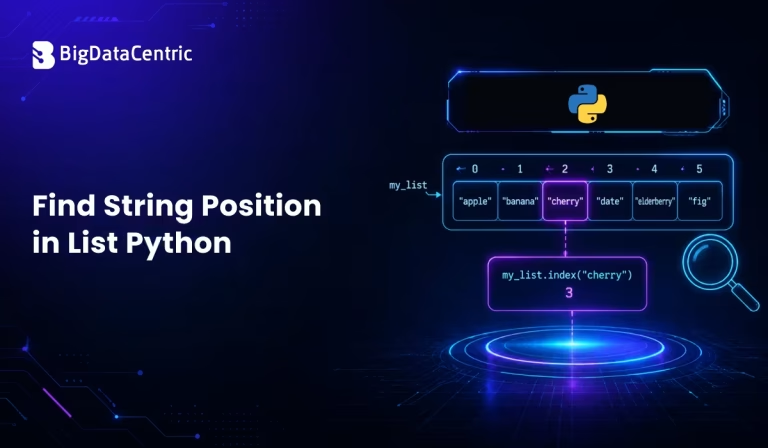
Submitting the form below will ensure a prompt response from us.
Python provides several ways to search for a string within a list and determine its position. Whether you’re working with user data, file processing, web applications, or automation scripts, finding the position of a string in a list is a common task.
In this guide, we’ll explore different methods to Find String Position in list Python, along with practical examples, handling duplicates, and best practices for efficient coding.
What Does Finding a String Position in a Python List Mean?
Finding a string’s position means locating its index within a list. Python lists are zero-indexed, meaning the first element has an index of 0, the second has an index of 1, and so on.
For example:
fruits = ["apple", "banana", "orange", "mango"]

print(fruits[1])
Output:
banana
Here, the string “banana” is located at position 1.
Using the index() Method to Find String Position
The simplest way to find the position of a string in a Python list is by using the built-in index() method.
Syntax
list_name.index(value)
Example
fruits = ["apple", "banana", "orange", "mango"]

position = fruits.index("orange")

print(position)
Output:
2
The index() method returns the first occurrence of the specified value.
Handling Strings That Do Not Exist in the List
One limitation of index() is that it raises a ValueError if the string is not found.
Example
fruits = ["apple", "banana", "orange"]

position = fruits.index("grape")
Output:
ValueError: 'grape' is not in list
Safe Approach Using Try-Except
fruits = ["apple", "banana", "orange"]

try:
    position = fruits.index("grape")
    print(position)
except ValueError:
    print("String not found")
Output:
String not found
This approach prevents your program from crashing when the string is missing.
Finding All Positions of a String in a List
Sometimes a list may contain duplicate strings, and you may want to retrieve every occurrence.
Example
fruits = ["apple", "banana", "apple", "orange", "apple"]

positions = [i for i, value in enumerate(fruits) if value == "apple"]

print(positions)
Output:
[0, 2, 4]
This method uses enumerate() to track both the index and value during iteration.
Using a For Loop to Find String Position
A traditional loop can also be used to locate a string in a list.
Example
fruits = ["apple", "banana", "orange", "mango"]

target = "orange"

for index, item in enumerate(fruits):
    if item == target:
        print("Found at position:", index)
        break
Output:
Found at position: 2
This method is useful when additional processing is required after finding the string.
Finding Positions with Case-Insensitive Search
String comparisons in Python are case-sensitive by default.
Example
fruits = ["Apple", "Banana", "Orange"]

target = "apple"

position = next(
    (i for i, value in enumerate(fruits)
     if value.lower() == target.lower()),
    -1
)

print(position)
Output:
0
This technique helps when data comes from user input or external sources with inconsistent capitalization.
Using NumPy for Large Datasets
If you’re working with large datasets, NumPy can provide efficient searching capabilities.
Example
import numpy as np

fruits = np.array(["apple", "banana", "orange", "apple"])

positions = np.where(fruits == "apple")[0]

print(positions)
Output:
[0 3]
NumPy is especially useful in data science and machine learning applications where performance matters.
Common Use Cases for Finding String Positions
User Input Validation
Applications often verify whether user-entered values exist in predefined lists.
countries = ["India", "USA", "Canada"]

country = "USA"

if country in countries:
    print(countries.index(country))
Searching Product Names
E-commerce systems may need to locate products within inventories.
products = ["Laptop", "Mouse", "Keyboard"]

position = products.index("Mouse")

print(position)
Log File Analysis
Developers frequently search lists of log entries for specific messages or errors.
logs = ["INFO", "WARNING", "ERROR", "INFO"]

error_position = logs.index("ERROR")

print(error_position)
Best Practices When Finding String Positions
Use index() for Single Matches
If you only need the first occurrence, index() is the simplest solution.
Handle Exceptions
Always account for situations where the string may not exist in the list.
Use List Comprehensions for Multiple Matches
When duplicates are possible, list comprehensions provide a clean and efficient approach.
Consider Case Sensitivity
Normalize strings using .lower() or .upper() when comparing user-generated content.
Optimize Large Searches
For large datasets, consider using NumPy or alternative data structures such as dictionaries for faster lookups.
Need Custom Python Development Solutions?
Build scalable Python applications, automation tools, and data-driven solutions tailored to your business needs.
Conclusion
Finding a string’s position in a Python list is a fundamental operation that can be accomplished in several ways. The built-in index() function is ideal for locating the first occurrence of a string, while loops, list comprehensions, and NumPy offer additional flexibility for handling duplicates, case-insensitive searches, and large datasets.
By understanding these techniques and applying the appropriate method based on your use case, you can write more efficient and reliable Python programs for data processing, automation, web development, and analytics.


Jayanti Katariya is the CEO of BigDataCentric, a leading provider of AI, machine learning, data science, and business intelligence solutions. With 18+ years of industry experience, he has been at the forefront of helping businesses unlock growth through data-driven insights. Passionate about developing creative technology solutions from a young age, he pursued an engineering degree to further this interest. Under his leadership, BigDataCentric delivers tailored AI and analytics solutions to optimize business processes. His expertise drives innovation in data science, enabling organizations to make smarter, data-backed decisions.
Latest From Our Q&A
Stay updated with technical insights, industry trends, and the latest technology developments.