

How to Convert a String to an Int in Python?

Last Updated: June 08, 2026
 Total View: 225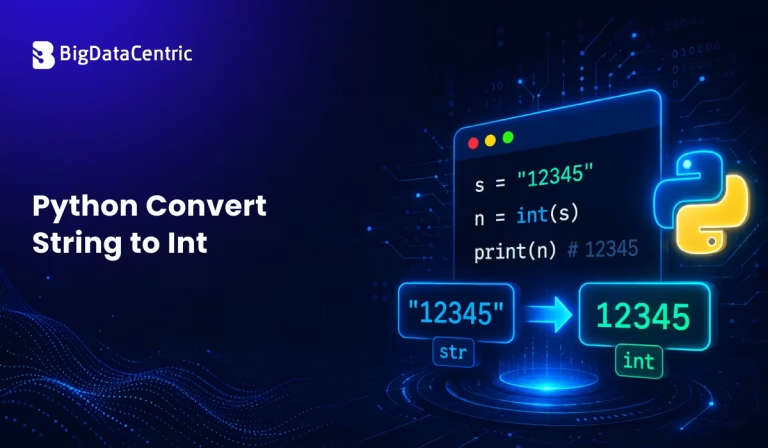
Submitting the form below will ensure a prompt response from us.
When working with user input, files, APIs, or databases, developers frequently encounter numbers stored as strings. Before performing calculations, these strings must be converted into integers.
For example:
"100" → 100
This process is known as string-to-integer conversion.
So, how to convert Python Convert String to Int?
Why Convert a String to an Integer?
Many data sources return values as strings.
Examples include:
- User input from forms
- CSV files
- API responses
- Configuration files
- Database records
To perform mathematical operations, Python requires numeric data types such as integers.
Using the int() Function
The simplest and most common way to convert python convert string to int built-in int() function.
Example:
number_string = "123"

number = int(number_string)

print(number)
print(type(number))
Output:
123
<class 'int'>
print(type(number))
The int() function converts the string “123” into the integer 123.
Syntax of int()
int(value)
Where:
- value is the string or number to convert
Example:
age = int("25")
print(age)
Output:
25
Common String-to-Integer Conversion Scenarios in Python
Converting User Input to an Integer
A common use case involves user input.
Example:
age = input("Enter your age: ")

age = int(age)

print("Next year you will be:", age + 1)
Since input() always returns a string, conversion is necessary before performing arithmetic operations.
Converting Negative Numbers
The int() function also handles negative values.
Example:
num = int("-50")

print(num)
Output:
-50
Converting Strings with Leading or Trailing Spaces
Python automatically ignores surrounding spaces.
Example:
num = int("   42   ")

print(num)
Output:
42
Handling Invalid Strings
Not all strings can be converted into integers.
Example:
num = int("hello")
This produces:
ValueError: invalid literal for int()
Using Exception Handling
To prevent application crashes, use a try-except block.
Example:
try:
   num = int("hello")
   print(num)

except ValueError:
   print("Invalid number format")
Output:
Invalid number format
This is the recommended approach when processing user input.
Converting Strings with Different Number Bases
The int() function can also convert numbers from binary, octal, or hexadecimal formats.
Binary Example:
num = int("1010", 2)

print(num)

Output:

10
Hexadecimal Example:
num = int("FF", 16)

print(num)
Output:
255
Common String-to-Integer Conversions
| String Value | Conversion Method | Result |
|---|---|---|
| “100” | int(“100”) | 100 |
| “-25” | int(“-25”) | -25 |
| “0” | int(“0”) | 0 |
| ” 50 “ | int(” 50 “) | 50 |
| “1010” (Base 2) | int(“1010”, 2) | 10 |
| “FF” (Base 16) | int(“FF”, 16) | 255 |
Real-World Example: Processing API Data
Many APIs return numbers as strings.
Example:
api_response = {

"user_id": "1001",

"score": "85"

}

user_id = int(api_response["user_id"])

score = int(api_response["score"])

print(user_id + 1)

print(score + 5)
Output:
1002

90
String to Int vs Float to Int
Sometimes numbers contain decimals.
Example:
value = "10.5"

number = int(float(value))

print(number)
Output:
10
Notice that converting from float to int removes the decimal portion.
Common Mistakes
Forgetting Conversion
age = input("Age: ")

print(age + 1)
This causes an error because age is a string.
Converting Invalid Data
int("abc")
Results in a ValueError.
Assuming API Data Is Numeric
Always validate external data before conversion.
Best Practices
- Use int() for integer conversion
- Validate user input
- Use exception handling
- Check for empty strings
- Handle decimal values separately
Performance Considerations
The int() function is highly optimized and suitable for:
- Large datasets
- Real-time applications
- Data processing pipelines
- Web applications
For most use cases, no alternative method is necessary.
Safe Conversion Function Example
def safe_convert(value):

try:

return int(value)

except ValueError:

return None

print(safe_convert("100"))

print(safe_convert("abc"))
Output:
100
None
This approach improves code reliability.
Build Better Applications
Improve your coding skills with modern Python development practices.
Conclusion
Converting a string to an integer is one of the most common operations in Python programming. The built-in int() function provides a simple and efficient way to perform this conversion.
By using proper validation and exception handling, developers can safely process user input, API responses, files, and database values without unexpected errors.
Whether you’re building web applications, automation scripts, data pipelines, or machine learning solutions, understanding Python string-to-int conversion is an essential programming skill.


Jayanti Katariya is the CEO of BigDataCentric, a leading provider of AI, machine learning, data science, and business intelligence solutions. With 18+ years of industry experience, he has been at the forefront of helping businesses unlock growth through data-driven insights. Passionate about developing creative technology solutions from a young age, he pursued an engineering degree to further this interest. Under his leadership, BigDataCentric delivers tailored AI and analytics solutions to optimize business processes. His expertise drives innovation in data science, enabling organizations to make smarter, data-backed decisions.
Latest From Our Q&A
Stay updated with technical insights, industry trends, and the latest technology developments.