What is Python for Loop with Index?

 Total View: 114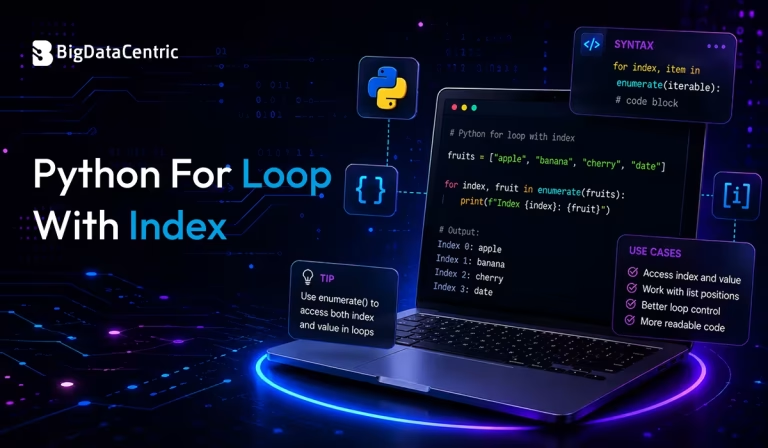
Submitting the form below will ensure a prompt response from us.
A Python for loop with index allows you to access both the position (index) and the value of each element while iterating through a sequence.
For example, consider the following list of programming languages:
languages = [“Python”, “Java”, “JavaScript”]
Instead of printing only the language names, you may also want their positions:
0 Python
1 Java
2 JavaScript
Using indexes is useful when modifying elements, displaying numbered lists, or comparing values between different collections.
Different Ways to Use a Python for Loop with Index
Using enumerate() – The Recommended Method
The simplest and most Pythonic way to access indexes is with the enumerate() function.
Syntax
enumerate(iterable, start=0)
Example
languages = ["Python", "Java", "JavaScript"]

for index, language in enumerate(languages):

print(index, language)
Output
0 Python
1 Java
2 JavaScript
While enumerate() is useful for accessing every element along with its index, there may be situations where you only need to locate the position of a specific value. In such cases, you can learn how to find a string position in a list in Python before processing the data further.
Starting the Index from a Custom Value
By default, enumerate() starts counting from 0. You can change the starting value using the start parameter.
Example
languages = ["Python", "Java", "JavaScript"]

for index, language in enumerate(languages, start=1):

print(index, language)
Output
1 Python
2 Java
3 JavaScript
This is particularly useful when displaying numbered lists to users.
Using range() with len()
Another common approach is combining range() with len().
Example
languages = ["Python", "Java", "JavaScript"]

for index in range(len(languages)):

print(index, languages[index])
Output
0 Python
1 Java
2 JavaScript
This method provides direct access to list indexes but is generally less readable than enumerate().
Using a Manual Counter
You can also maintain your own counter variable.
Example
frameworks = ["Django", "Flask", "FastAPI"]

index = 0

for framework in frameworks:

print(index, framework)

index += 1
Output
0 Django
1 Flask
2 FastAPI
Although this works, it requires extra code and is more prone to errors than enumerate().
Iterating Through Tuples with Index
You can also use enumerate() with tuples.
Example
databases = ("MySQL", "PostgreSQL", "MongoDB")

for index, database in enumerate(databases):

print(index, database)
Output
0 MySQL
1 PostgreSQL
2 MongoDB
Common Mistakes to Avoid
Forgetting enumerate()
Incorrect:
languages = ["Python", "Java"]

for language in languages:

print(index, language)
This produces a NameError because index is undefined.
Correct:
for index, language in enumerate(languages):
print(index, language)
Using len() Unnecessarily
Instead of:
for i in range(len(languages)):

print(i, languages[i])
Prefer:
for index, language in enumerate(languages):
print(index, language)
Best Practices
Prefer enumerate()
enumerate() is concise, readable, and recommended by Python’s official style guidelines.
Avoid Manual Counters
Manual counters increase code complexity and can introduce bugs.
Use range() Only When Needed
Choose range() when you need direct index manipulation or access to multiple sequences.
Use Meaningful Variable Names
Instead of generic names like i, consider descriptive names such as:
for index, employee in enumerate(employees):
print(index, employee)
This improves code readability.
Build Scalable Python Applications with Experts
From automation scripts to AI-powered solutions, our Python developers create robust applications tailored to your business needs.
Conclusion
Using a Python for loop with index is essential when you need both the position and value of elements during iteration. While there are several approaches, the built-in enumerate() function remains the most efficient and Pythonic solution. It improves readability, reduces the need for manual counters, and minimizes errors.
Whether you’re processing lists, strings, tuples, or other iterable objects, understanding how to use indexes effectively will help you write cleaner, more maintainable Python code.


Jayanti Katariya is the CEO of BigDataCentric, a leading provider of AI, machine learning, data science, and business intelligence solutions. With 18+ years of industry experience, he has been at the forefront of helping businesses unlock growth through data-driven insights. Passionate about developing creative technology solutions from a young age, he pursued an engineering degree to further this interest. Under his leadership, BigDataCentric delivers tailored AI and analytics solutions to optimize business processes. His expertise drives innovation in data science, enabling organizations to make smarter, data-backed decisions.