How to Strip Characters from a String in Python?

 Total View: 154
Submitting the form below will ensure a prompt response from us.
String manipulation is one of the most common tasks in Python programming. Whether you’re processing user input, cleaning data, or parsing files, you’ll often need to remove unwanted characters from the beginning or end of a string.
Python provides built-in methods that make this process simple and efficient.
So, how do you Strip Characters from String Python?
What Does strip() Do in Python?
The strip() method removes specified characters from both the beginning and end of a string.
Syntax
string.strip(chars)
Where:
- chars is optional
- If omitted, whitespace is removed by default
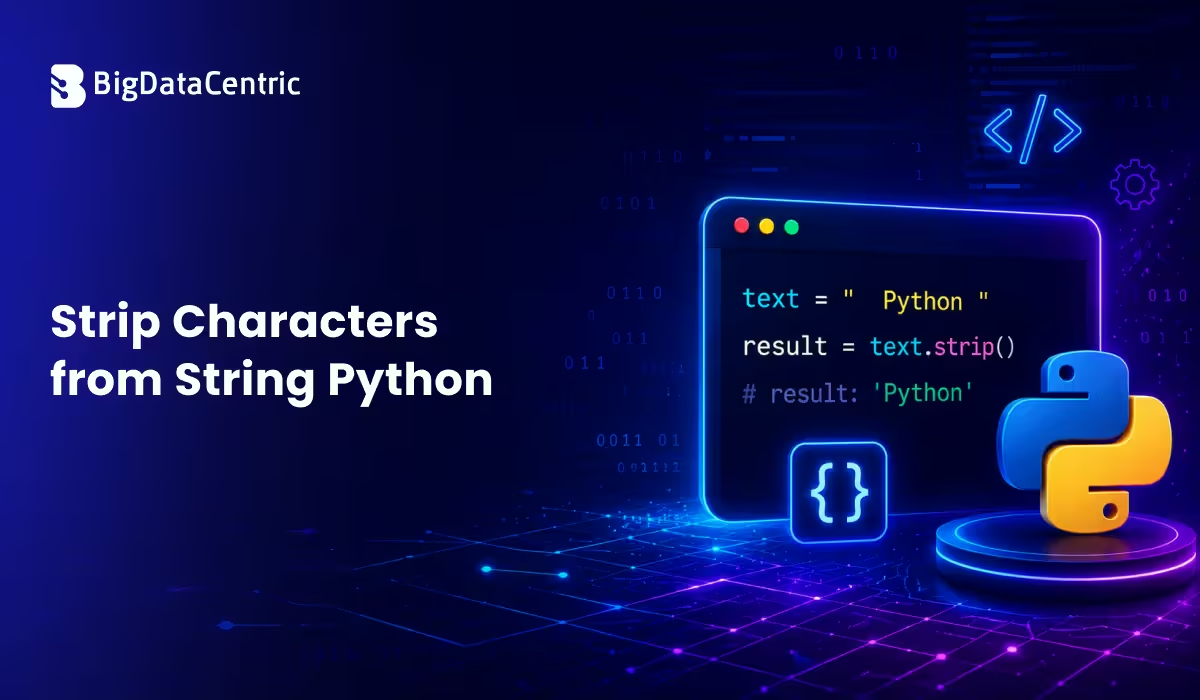
Removing Whitespace with strip()
One of the most common uses of strip() is removing extra spaces.
Example
text = "   Hello World   "

result = text.strip()

print(result)
Output
Hello World
Leading and trailing spaces are removed automatically.
How strip() Works?
Consider the following string:
text = "***Python***"
Using:
print(text.strip("*"))
Output:
Python
The asterisks at both ends are removed.
Removing Specific Characters
You can specify which characters to remove.
Example
text = "###Welcome###"

print(text.strip("#"))
Output
Welcome
Removing Multiple Characters
The strip() method can remove multiple types of characters.
Example
text = "@#$Python$#@"

print(text.strip("@#$"))
Output
Python
Python removes any matching characters found at the start and end of the string.
Important Note About strip()
Many developers assume strip() removes characters everywhere in the string.
This is incorrect.
Example
text = "###Py#thon###"

print(text.strip("#"))
Output
Py#thon
The middle # remains because strip() only affects the beginning and end.
You Might Also Like:
How lstrip() and rstrip() Work in Python?
Using lstrip()
The lstrip() method removes characters only from the left side.
Example
text = "___Python"

print(text.lstrip("_"))
Output
Python
Using rstrip()
The rstrip() method removes characters only from the right side.
Example
text = "Python___"

print(text.rstrip("_"))
Output
Python
Difference Between Strip Methods
| Method | Removes From | Example |
|---|---|---|
| strip() | Both ends (left and right) | “***Python***”.strip(“*”) → Python |
| lstrip() | Left side only | “***Python”.lstrip(“*”) → Python |
| rstrip() | Right side only | “Python***”.rstrip(“*”) → Python |
Real-World Example of Strip Characters from String
Cleaning User Input
Users often enter extra spaces unintentionally.
Example
username = "   john_doe   "

clean_username = username.strip()

print(clean_username)
Output
john_doe
This improves data quality and consistency.
Removing Newline Characters
When reading files, strings often contain newline characters.
Example
line = "Hello World\n"

print(line.strip())
Output
Hello World
This is commonly used during file processing.
Processing CSV Data
Example
data = "  Apple, Banana, Orange  "

clean_data = data.strip()

print(clean_data)
Output
Apple, Banana, Orange
Stripping whitespace simplifies data parsing.
Removing Tabs and Spaces
The default strip() removes:
- Spaces
- Tabs (\t)
- Newlines (\n)
- Carriage returns (\r)
Example
text = "\t\n Python \n\t"

print(text.strip())
Output
Python
Strip vs Replace
Developers sometimes confuse strip() and replace().
Using Strip
text = "***Python***"

print(text.strip("*"))
Output:
Python
Using Replace
text = "***Python***"

print(text.replace("*", ""))
Output:
Python
Difference:
- strip() removes characters only from the ends
- replace() removes all occurrences
Strip vs Replace Comparison
| Feature | strip() | replace() |
|---|---|---|
| Removes from ends | Yes | No |
| Removes all occurrences | No | Yes |
| Ideal for cleanup | Yes | Sometimes |
Common Mistakes
Expecting Strip to Remove Internal Characters
text = "Py#thon"

print(text.strip("#"))
Output:
Py#thon
No change occurs because # is not at the ends.
Forgetting Strings Are Immutable
Incorrect:
text.strip()
print(text)
The original string remains unchanged.
Correct:
text = text.strip()
Using Strip for Complex Text Processing
For advanced removal patterns, use:
import re
and regular expressions.
Best Practices to Strip Characters from a String in Python
- Use strip() for input validation
- Clean file data before processing
- Use lstrip() and rstrip() when direction matters
- Store the returned value
- Use replace() when removing internal characters
Performance Considerations
Python’s string methods are highly optimized.
For most applications:
text.strip()
is efficient and suitable for:
- Data cleaning
- ETL pipelines
- Web applications
- API processing
- Log analysis
Advanced Example
raw_data = "### Product Name ###"

clean_data = raw_data.strip("# ").strip()

print(clean_data)
Output
Product Name
This technique helps clean imported datasets.
Build Better Python Applications
Learn practical coding techniques for handling text and user input.
Conclusion
The Python strip() method is a powerful tool for removing unwanted characters from the beginning and end of strings. Along with lstrip() and rstrip(), it simplifies data cleaning and text processing tasks.
Key takeaways:
- strip() removes characters from both ends
- lstrip() removes from the left side
- rstrip() removes from the right side
- Default behavior removes whitespace
- replace() is better for removing characters throughout a string
Mastering these string methods is essential for handling user input, file processing, data cleaning, and many other Python programming tasks.


Jayanti Katariya is the CEO of BigDataCentric, a leading provider of AI, machine learning, data science, and business intelligence solutions. With 18+ years of industry experience, he has been at the forefront of helping businesses unlock growth through data-driven insights. Passionate about developing creative technology solutions from a young age, he pursued an engineering degree to further this interest. Under his leadership, BigDataCentric delivers tailored AI and analytics solutions to optimize business processes. His expertise drives innovation in data science, enabling organizations to make smarter, data-backed decisions.