Python Read JSON File: Methods and Examples

 Total View: 55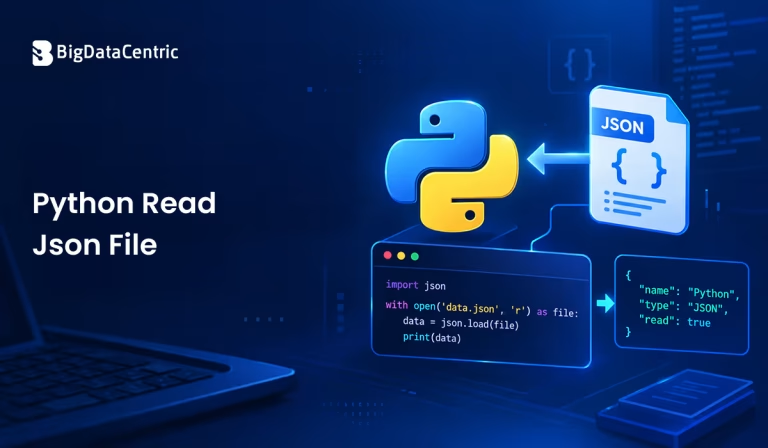
Submitting the form below will ensure a prompt response from us.
Python read JSON file is a common requirement when working with configuration files, APIs, data exchange, and application settings. JSON, or JavaScript Object Notation, is a lightweight text-based format commonly used to store and exchange structured data.
Python provides a built-in json module that makes it straightforward to read and parse JSON files. The json.load() method is primarily used when you want to read JSON directly from a file, while json.loads() is used when the JSON data is already available as a Python string.
For example, a JSON file named data.json might contain:
{

"name": "Alex",

"role": "Developer",

"experience": 5

}
Python can read this file and convert the JSON data into a Python dictionary.
import json

with open("data.json", "r") as file:

data = json.load(file)

print(data)
Output:
{'name': 'Alex', 'role': 'Developer', 'experience': 5}
This makes it possible to work with JSON data using standard Python data structures.
What is JSON in Python?
JSON is commonly used to represent structured information. It supports objects, arrays, strings, numbers, Boolean values, and null values. When working with JSON arrays converted to Python lists, you may also need to find the position of a string in a Python list.
A JSON object resembles a Python dictionary:
{

"name": "Alex",

"department": "Engineering",

"active": true

}
When Python reads this data using json.load(), it becomes:
{

"name": "Alex",

"department": "Engineering",

"active": True

}
The JSON-to-Python mapping generally works as follows:
| JSON Type | Python Type | Description |
|---|---|---|
| Object | Dictionary | Stores data as key-value pairs |
| Array | List | Stores an ordered collection of values |
| String | String | Stores text |
| Number | Integer/Float | Stores numeric values |
| true | True | Represents a Boolean true value |
| false | False | Represents a Boolean false value |
| null | None | Represents the absence of a value |
How to Read a JSON File Using json.load()
The most common way to read a JSON file in Python is with json.load().
First, import the built-in json module:
import json
Then open the file and load its contents:
import json
with open(“data.json”, “r”) as file:
data = json.load(file)

print(data)
The with open() statement automatically closes the file after Python finishes reading it.
The “r” mode means the file is opened for reading.
How to Access Data from a JSON File?
After reading a JSON object, Python usually stores it as a dictionary.
Suppose data.json contains:
{

"name": "Alex",

"role": "Developer",

"location": "Remote"

}
You can access individual values using dictionary keys:
import json
with open("data.json", "r") as file:

data = json.load(file)

print(data["name"])

print(data["role"])

print(data["location"])
Output:
Alex

Developer

Remote
This approach is useful when you know the names of the fields you want to retrieve.
How to Read Nested JSON Data in Python?
JSON files can contain nested objects.
For example:
{

"employee": {

"name": "Alex",

"department": {

"name": "Engineering",

"location": "Remote"

}

}

}
After loading the file, you can access nested values using multiple dictionary keys:
import json

with open("data.json", "r") as file:

data = json.load(file)

department = data["employee"]["department"]["name"]

print(department)
Output:
Engineering
Understanding the structure of the JSON document is important when accessing nested data.
How to Read a JSON Array in Python?
A JSON file can also contain an array of objects.
For example:
[

{

"name": "Alex",

"role": "Developer"

},

{

"name": "Jordan",

"role": "Designer"

}

]
Python reads this as a list:
import json

with open("employees.json", "r") as file:

employees = json.load(file)

for employee in employees:

print(employee["name"], employee["role"])
Output:
Alex Developer

Jordan Designer
This is a common structure for JSON datasets and API responses.
How to Read a JSON File with UTF-8 Encoding?
If the JSON file contains non-ASCII characters, explicitly specifying UTF-8 encoding can be helpful.
import json

with open("data.json", "r", encoding="utf-8") as file:

data = json.load(file)

print(data)
Using an explicit encoding makes the expected character encoding clear and can help avoid encoding-related issues when processing files across different environments.
How to Handle JSON File Errors in Python?
A JSON file may be missing, inaccessible, or contain invalid JSON syntax. Using exception handling makes your application more reliable.
import json

try:

with open("data.json", "r", encoding="utf-8") as file:

data = json.load(file)

print(data)

except FileNotFoundError:

print("The JSON file was not found.")


except json.JSONDecodeError:

print("The file contains invalid JSON.")

except OSError as error:

print(f"Unable to read the file: {error}")
Here:
- FileNotFoundError handles a missing file.
- JSONDecodeError handles malformed JSON.
- OSError handles other file-related problems.
What Is the Difference Between json.load() and json.loads()?
A common point of confusion is the difference between json.load() and json.loads().
json.load()
Use json.load() when reading JSON directly from a file-like object.
import json

with open("data.json", "r") as file:

data = json.load(file)
json.loads()
Use json.loads() when the JSON content is already stored in a Python string.
import json

json_text = '{"name": "Alex", "role": "Developer"}'

data = json.loads(json_text)

print(data["name"])
Output:
Alex
A simple way to remember the difference is:
- load() → read JSON from a file or file-like object.
- loads() → read JSON from a string.
How to Read Only Specific Values from a JSON File?
You can load the complete JSON document and then select only the fields you need.
For example:
import json

with open("employee.json", "r", encoding="utf-8") as file:

employee = json.load(file)

name = employee.get("name")

role = employee.get("role")

print(f"Name: {name}")

print(f"Role: {role}")
Using .get() can be useful when a key may not exist because it returns None by default instead of raising a KeyError.
You can also provide a default value:
department = employee.get("department", "Not specified")

print(department)
How to Read a Large JSON File in Python?
For relatively small and moderate JSON files, json.load() is straightforward and convenient because it loads the complete JSON structure into memory.
For very large datasets, loading the entire document at once may not be ideal. Depending on the JSON structure, you may need a streaming parser, line-delimited JSON format such as JSON Lines (JSONL), or a specialized data-processing approach.
For example, JSONL stores one JSON object per line:
{"id": 101, "name": "Alex"}

{"id": 102, "name": "Jordan"}

{"id": 103, "name": "Taylor"}

print(department)
You can process such a file one line at a time:
import json
with open(“employees.jsonl”, “r”, encoding=”utf-8″) as file:
for line in file:
employee = json.loads(line)

print(employee["name"])
This approach avoids loading the entire collection into memory at once.
How to Check Whether a JSON File Exists?
Before reading a file, you can check whether its path exists.
from pathlib import Path

file_path = Path("data.json")

if file_path.exists():

print("JSON file exists.")
else:
print("JSON file does not exist.")
However, even if a file exists, it may still contain invalid JSON or be unreadable. Therefore, file existence checks should not replace proper exception handling.
Common Errors When Reading JSON Files
FileNotFoundError
This usually occurs when Python cannot find the specified file.
with open(“missing.json”, “r”) as file:
data = json.load(file)
Check the filename and path, or use an absolute path when appropriate.
JSONDecodeError
This occurs when the file contents aren’t valid JSON.
For example, JSON requires double quotes around object keys and string values:
{

"name": "Alex"

}
Using invalid JSON syntax such as this can cause parsing errors:
{'name': 'Alex'}
The second example resembles a Python dictionary but isn’t valid standard JSON because it uses single quotes.
KeyError
A KeyError can occur when trying to access a key that doesn’t exist:
name = data["username"]
If the JSON uses “name” instead, you can use:
name = data.get("name")
or check whether the key exists first.
Best Practices for Python Read JSON Files
Use the Built-In json Module
Python’s standard library already provides the json module for common JSON parsing requirements.
Use a Context Manager
Prefer:
with open(“data.json”, “r”, encoding=”utf-8″) as file:
data = json.load(file)
This ensures that the file is properly closed.
Specify Encoding When Appropriate
Using encoding=”utf-8″ makes file handling more predictable across environments.
Handle Parsing Errors
Don’t assume every JSON file is valid. Use appropriate exception handling when processing external or user-provided files.
Validate the Data Structure
Successfully parsing JSON does not guarantee that it contains the fields or data types your application expects. Validate important fields before using them.
Turn Your Data into Powerful Python Solutions
Leverage our Python expertise to develop secure, scalable applications and data workflows that support your business goals.
Conclusion
Learning how to read a JSON file in Python is essential when working with configuration files, application data, APIs, and data-processing workflows. Python’s built-in json module makes this process simple, with json.load() providing the standard way to parse JSON directly from a file.
For example:
import json

with open("data.json", "r", encoding="utf-8") as file:

data = json.load(file)

print(data)
Once the JSON has been loaded, Python dictionaries and lists can be used to access objects, arrays, and nested values. For JSON stored in a string rather than a file, json.loads() is the appropriate method.
For reliable applications, combine JSON parsing with proper file handling, encoding, exception handling, and data validation. These practices make your Python code easier to maintain and better equipped to handle real-world JSON data.


Jayanti Katariya is the CEO of BigDataCentric, a leading provider of AI, machine learning, data science, and business intelligence solutions. With 18+ years of industry experience, he has been at the forefront of helping businesses unlock growth through data-driven insights. Passionate about developing creative technology solutions from a young age, he pursued an engineering degree to further this interest. Under his leadership, BigDataCentric delivers tailored AI and analytics solutions to optimize business processes. His expertise drives innovation in data science, enabling organizations to make smarter, data-backed decisions.